

What a URL QR code does
A URL QR code opens a web address in the phone’s browser. The person points their camera at it, taps the link that appears, and lands on the page. It is the most common type of QR code, and it works with any page that has an address: a product page, a booking form, a sign-up page, a video, a document or your home page.
You will find them on posters, flyers, packaging, shop windows, slides, invoices and the back of business cards. Anywhere you would otherwise ask someone to type an address, a code saves them the effort and the typos.
How to make a URL QR code
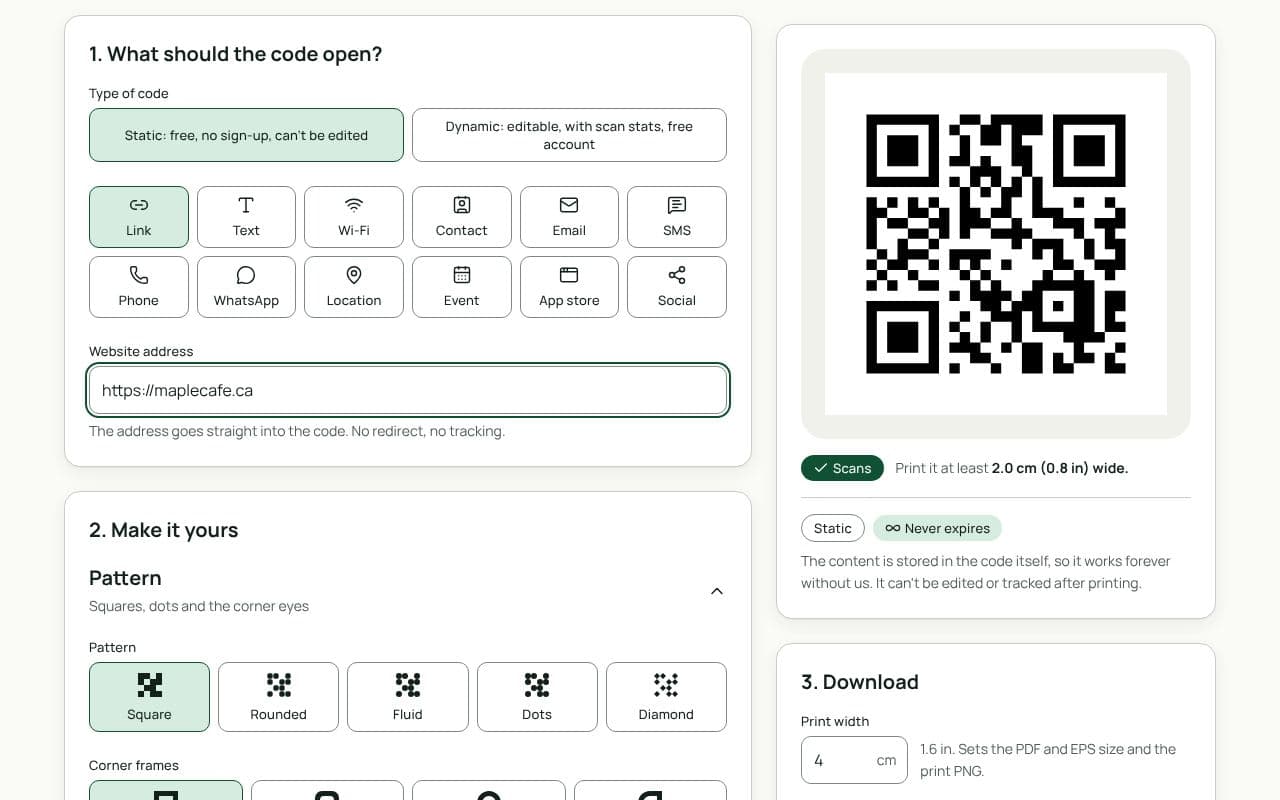
- Paste your link. Copy the address from your browser’s address bar and paste it into “Website address”. Open the page once yourself to make sure it’s the right one.
- Choose static or dynamic. Under “Type of code”, keep Static if the link will never change. Pick Dynamic if you might want to change where it goes or count scans.
- Make it yours. Change the pattern, colours or corners, add your logo, or add a frame with a short call to action. The scan check under the preview tells you if a change makes the code harder to read.
- Download or save. For a static code, download a PNG or JPG straight away, free and without a watermark (SVG, PDF and EPS come with a paid plan). For a dynamic code, save it to a free account first; you can sign in with an email link or Google.
Design and print tips
- Tell people where it goes. “Scan to book”, “See the full range” or “Watch the video” sets an expectation. A bare code with no context gets fewer scans.
- Keep the address short. Strip tracking parameters you don’t need. A shorter link means a less dense pattern that scans faster from further away.
- Pick the right file. Use PNG for screens and documents, and SVG, PDF or EPS for print: they stay sharp at any size.
- Size for the viewing distance. About 2 cm wide is the smallest that scans reliably at arm’s length. For a poster read from 3 metres, aim for 30 cm.
- Leave the quiet zone alone. Keep a clear margin of at least 4 modules around the code. Don’t let text or images run into it.
- Test before the print run. Scan the downloaded file from your phone, then scan a test print at its real size.
Static or dynamic?
Either works
If the link is permanent, such as your home page, a static code is the simplest choice and works without any service in between. If the page might move, the campaign might change, or you want to see how many people scanned, choose dynamic: it is free, unlimited and never expires.