

What a vCard QR code does
A vCard QR code turns your name, phone numbers, email, website and address into a pattern a phone camera can read. When someone scans it, their phone shows a ready-made contact card. One tap saves it to their address book, spelled the way you spell it, with the right number in the right field.
People use them on business cards, conference badges, email signatures, reception desks, shop counters and the last slide of a talk. They are especially handy for anyone who hands out their number a lot: estate agents, tradespeople, consultants, recruiters and sales teams.
How to make a vCard QR code
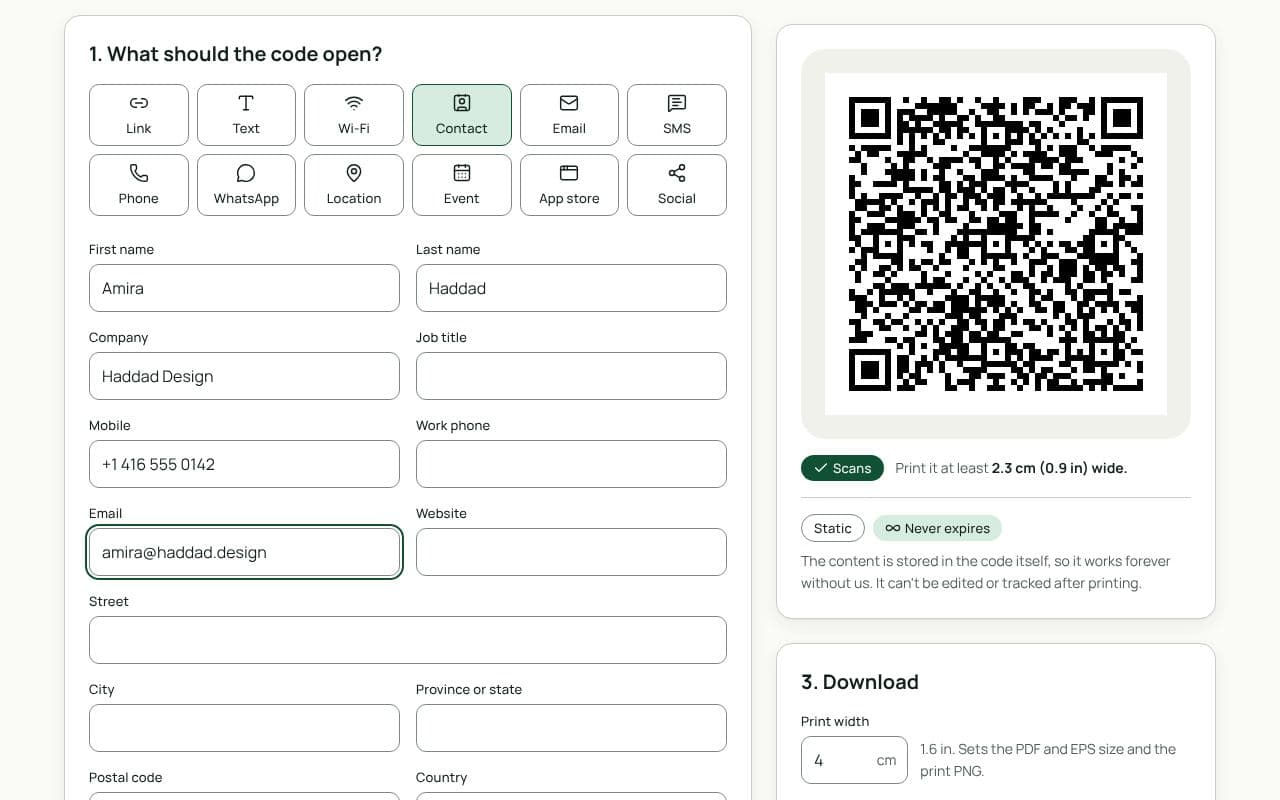
- Fill in your name and work details. Enter First name and Last name, then Company and Job title if you want them on the card.
- Add the ways to reach you. Mobile, Work phone, Email and Website are the fields people use most. Write phone numbers in international format, such as +1 416 555 0134, so they dial correctly from any country.
- Add an address only if it helps. Street, City, Province or state, Postal code and Country are useful for an office people visit; skip them otherwise. Keep the Note short or leave it empty.
- Check the scan, then download. Watch the scan check as you type: it warns if the data is getting dense. Scan the preview with your phone, confirm the contact looks right, then download a PNG, or an SVG, PDF or EPS with a plan.
Keep it to what people need
A full vCard with two phone numbers, an address and a note can hold several hundred characters. The code still works, but the squares get small, and small squares need a bigger print and a steadier hand. A name, one phone number, an email and a website cover what most people look for. If you want to share more, put it on your website and add the link.
Design and print tips
- Print a little larger than a link code. A contact code holds more data, so give it at least 2.5 cm on a card and more if you filled in many fields.
- Label it. A frame reading “Save my contact” or “Scan to save” tells people what will happen. Without it, many will assume it opens a website.
- Use dark on light. Contact codes are dense, so they have less tolerance for low contrast or busy backgrounds than a simple link code.
- Go easy on the logo. A logo hides part of the pattern. On a dense contact code, keep it small, or leave it out.
- Scan it on two phones. Check that the name, numbers and email land in the right fields on both an iPhone and an Android phone.
Static or dynamic?
Either works
Static keeps your details inside the code: phones save the contact straight from the camera, even with no signal, and no service sits in between. When your details change, you make a new code.
Dynamic puts a short link in the code. Scanning it opens your contact page on qrfinity.link, with a Save contact button and one-tap call, email and website links. Change your number or job title any time and every printed code shows the new details; you also see how many people scanned it. It needs a free account and a connection when scanned.