

What a PDF QR code does
A PDF QR code is a link code that opens a PDF. Someone scans it and the document opens on their phone: a brochure, a manual, a price list, a spec sheet, a programme, a form or a set of instructions. It moves a long document off the printed page and into the reader’s pocket.
Manufacturers print them on packaging and inside product boxes, event organisers on posters and badges, estate agents on window cards, schools on letters home and trades on quotes.
Where to put the PDF
QRfinity doesn’t host files, so the PDF needs a home with a public link first:
- Your own website. The most reliable choice. Upload the file, open it in your browser and copy the address.
- Google Drive. Upload the file, choose Share, set General access to “Anyone with the link”, then copy the link.
- Dropbox. Choose Share, create a view link and copy it.
Open the link in a private browser window to check it works for someone who isn’t signed in.
How to make a PDF QR code
- Paste the PDF’s link. Put the share link into “Website address”.
- Choose Dynamic. Under “Type of code”, pick Dynamic so you can point the code at a new file later.
- Make it yours. Add a frame with text that names the document, such as “Instructions” or “Price list”, and your logo if you like.
- Save your dynamic code. Sign in with an email link or Google, save the code, then download it as PNG or JPG, or SVG, PDF or EPS with a plan.
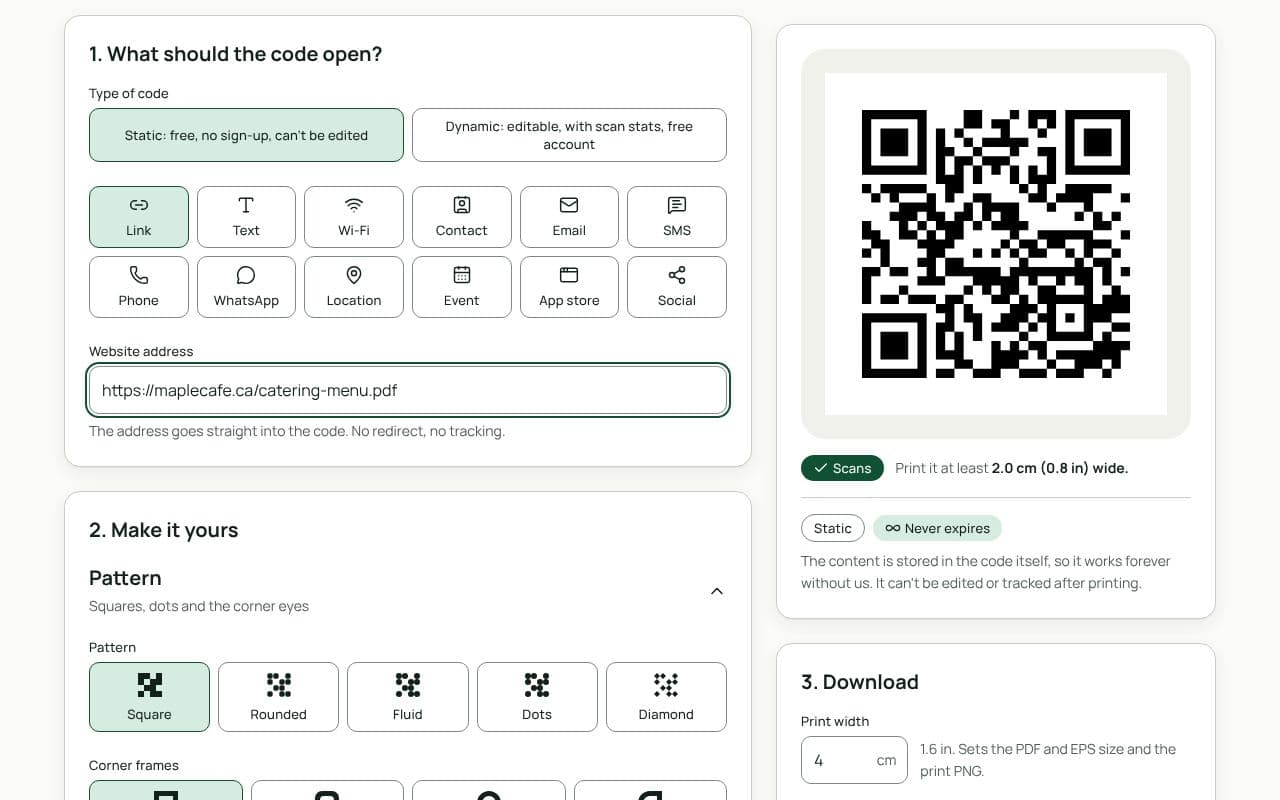
If you delete the file, move it or change its sharing settings, the code will open an error page. With a dynamic code you can fix that by pointing it at the new link; with a static code you would need to reprint.
Design and print tips
- Name the document. “Scan for the user manual” or “Full price list” tells people what they’ll get and that it’s worth opening.
- Keep the file light. Compress large images and aim for a few megabytes at most. Many people will open it on mobile data.
- Make it readable on a phone. Use a single column and readable text sizes, or offer a mobile-friendly web page instead.
- Size for the surface. On packaging and inserts, 2 to 2.5 cm is usually enough; on a poster, scale up to about one tenth of the viewing distance.
- Use vector files for print. Send SVG, PDF or EPS to your printer or packaging designer so the code stays sharp.
Static or dynamic?
We recommend: dynamic
Choose dynamic. Documents get revised, and file links break when files move. A dynamic code lets you link a new version without reprinting the boxes, posters or letters the code is already on.