

What an app store QR code does
An app store QR code opens your app’s listing in the App Store or Google Play. The person lands on the install page with your icon, screenshots and reviews, and is one tap from downloading. They don’t have to search for your app’s name and pick the right one from a list of lookalikes.
Teams put them on product packaging, in-store displays, print ads, receipts and conference stands, wherever someone holding a phone might want the app right now.
How to make an app store QR code
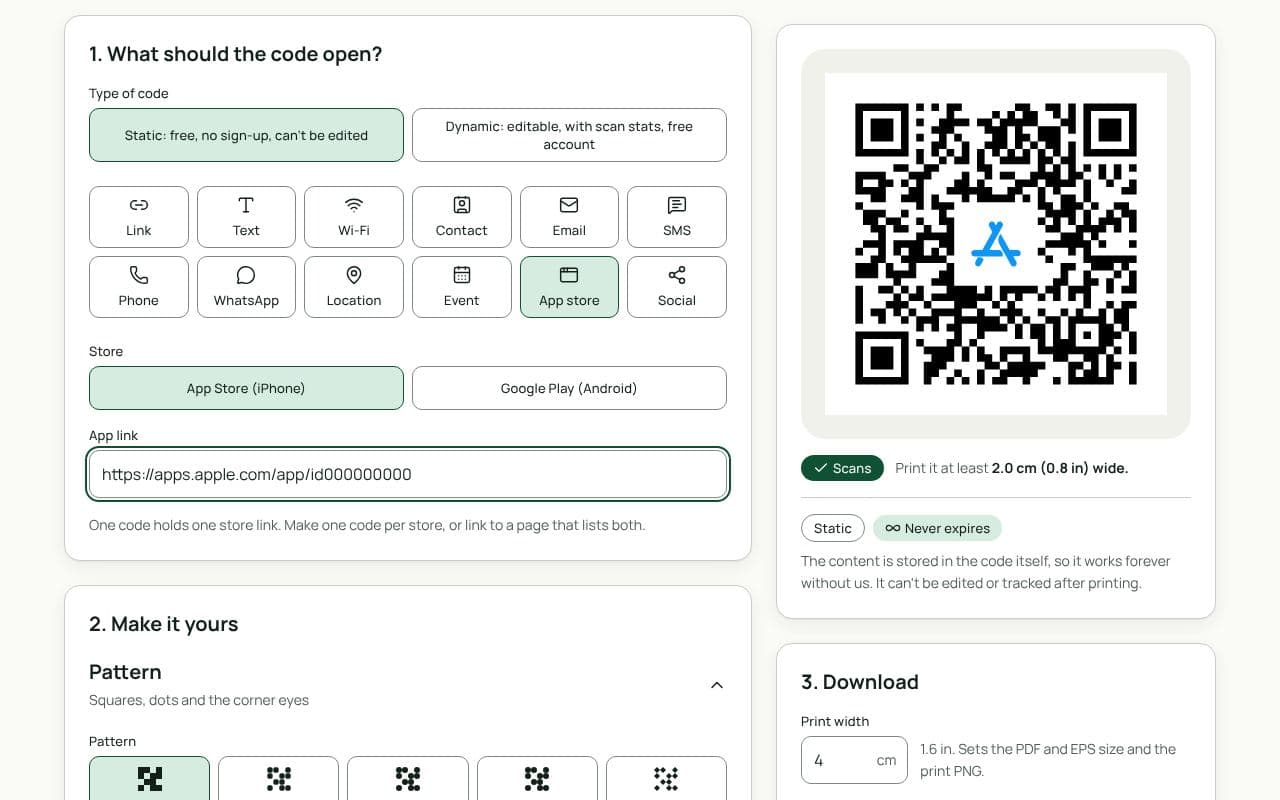
- Choose the store. Under “Store”, pick App Store (iPhone) or Google Play (Android).
- Paste the app link. Copy your listing’s share link and paste it into “App link”.
- Make it yours. Add your app icon as the logo and a frame that names the store, so people know which phone it’s for.
- Save or download. Save a dynamic code to your free account to count scans and change the link later, or download a static code straight away.
Design and print tips
- Label each code with its store. If you print two codes, put “App Store” under one and “Google Play” under the other. Use the store names in plain text; check each store’s own badge guidelines if you add their badges.
- Give each code room. Keep at least 1 cm between side-by-side codes so a camera doesn’t pick up both at once.
- Size for packaging. On a box or sleeve, 2.5 cm is a sensible minimum. On a shop poster, aim for 20 cm or more.
- Use your icon, sparingly. A logo in the centre helps recognition. Keep it within the size the scan check accepts.
- Mind the colour. Brand colours are fine if the code stays dark on light with at least 3:1 contrast; the scan check will warn you if it doesn’t.
One code for both stores: make it dynamic, then add redirect rules on the code’s page (“Add App Store and Google Play rules”). iPhones go to the App Store, Android phones to Google Play, and computers to your main link. Redirect rules are an advanced feature, free on one code.
Two codes or one landing page?
Two labelled codes are the quickest route: each scan goes straight to the store, with no extra page to load. They need more space, though, and some people scan the wrong one. A single code that opens a page on your site with both store buttons takes one more tap, but fits small packaging and lets you add a short pitch, screenshots or a web version. Make that code dynamic, and you can switch it to a direct store link later if your app becomes single-platform.
Static or dynamic?
We recommend: dynamic
Choose dynamic. If you rename the app, move to a new listing or later want to send people to a landing page with both stores, you change the link without reprinting, and you can see how many people scanned each placement.