

What a location QR code does
A location QR code opens a place in Google Maps. One scan shows the pin, and one more tap starts directions by car, foot or transit. Nobody has to type a street name they half heard or guess which of three similar addresses is yours.
Shops print them on flyers and business cards, event organisers put them on invitations, and property managers stick them inside welcome packs. They’re also useful for places that are hard to describe: a loading dock, the right gate at a stadium, a meeting point in a park.
How to make a location QR code
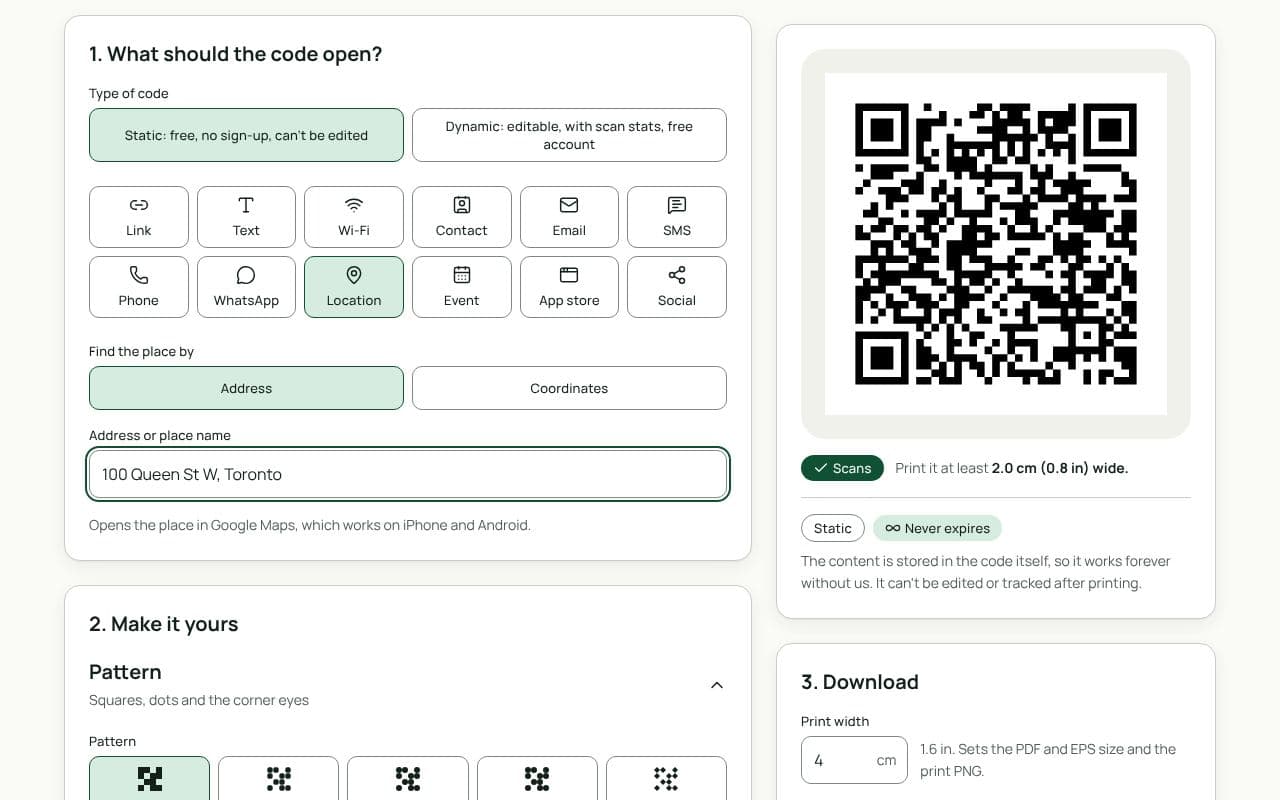
- Choose how to find the place. Under “Find the place by”, pick Address or Coordinates.
- Enter the place. Type the address or business name in “Address or place name”, or paste the “Latitude” and “Longitude” from Google Maps (press and hold on the map to copy them).
- Check the scan result. Scan the preview with your phone and make sure the pin lands exactly where people should go, not on the building next door.
- Pick static or dynamic, then finish. For a static code, style it and download. For a dynamic code, save it to your free account so you can change the place later.
Design and print tips
- Label it. Frame text such as “Directions” or “Find us” tells people what they’ll get. Print the written address next to the code too, for anyone who prefers to read it.
- Use coordinates for awkward spots. If your entrance is round the back, drop the pin on the door, not the street address.
- Size for the setting. On a business card, 2 cm is the minimum; on a sign people read from a car park 5 metres away, aim for 50 cm.
- Weatherproof outdoor signs. Use matte vinyl or a laminated sign, and keep the code out of direct glare.
- Test on both phone types. Ask someone with the other kind of phone to scan it before a big print run.
Address or coordinates?
An address is easy to read and works well when Maps already lists your business, because people see your name, opening hours and photos along with the pin. Coordinates are exact to a few metres. They’re the better choice when the street address puts the pin in the wrong place, which often happens with new buildings, rural properties, campuses and large sites with several entrances. If you aren’t sure, scan both versions and see which pin lands closer to the door.
Static or dynamic?
We recommend: dynamic
Make it dynamic if there’s any chance you’ll move, open a second site or change the meeting point: you edit the destination and every printed code follows. If the place will never change, such as a monument or a family home on a wedding invitation, a static code is fine.