

Skip to content
QRfinityQRfinity

QR code for your résumé or CV

One small code that takes a recruiter from paper to your best work.

Fill in the details to see your code.

StaticNever expires

1. What should the code open?

Type of code
Content type

The address goes straight into the code. No redirect, no tracking.

2. Make it yours

PatternSquares, dots and the corner eyes
Pattern
Corner frames
Corner centres
ColoursCode, corners and background
Code colour

For PNG, SVG, PDF and EPS. JPG always gets a solid background.

LogoThe Link icon
Logo to show

Shows a link icon for this kind of code. Choose None or your own logo to change it.

FrameA call to action around the code
Frame style
AdvancedError correction and margin

Higher levels survive scratches and smudges but make a denser code.

4 modules
Saved designsReuse a design on your next code

Saved in this browser only. Accounts will keep them across devices.

What a résumé QR code does

A QR code on a printed résumé or CV takes the reader from paper to your best work in one scan: your portfolio, your code, your designs, your published articles. It saves typing a long link at an interview or careers fair, where printed résumés still change hands.

Designers link to their portfolio, developers to GitHub, writers to published work, and almost everyone can use LinkedIn.

How to make a résumé QR code

  1. Pick one link. Your portfolio, GitHub, showreel or LinkedIn profile.
  2. Paste it into Website address.
  3. Choose static or dynamic. Dynamic lets you change the link later, and shows whether anyone scanned.
  4. Keep the design simple. Black or one dark colour on white, no frame or a small one such as “Portfolio”.
  5. Download a PNG and place it. Put it in the header next to your contact details, or in a corner of the last page, about 2 cm wide.
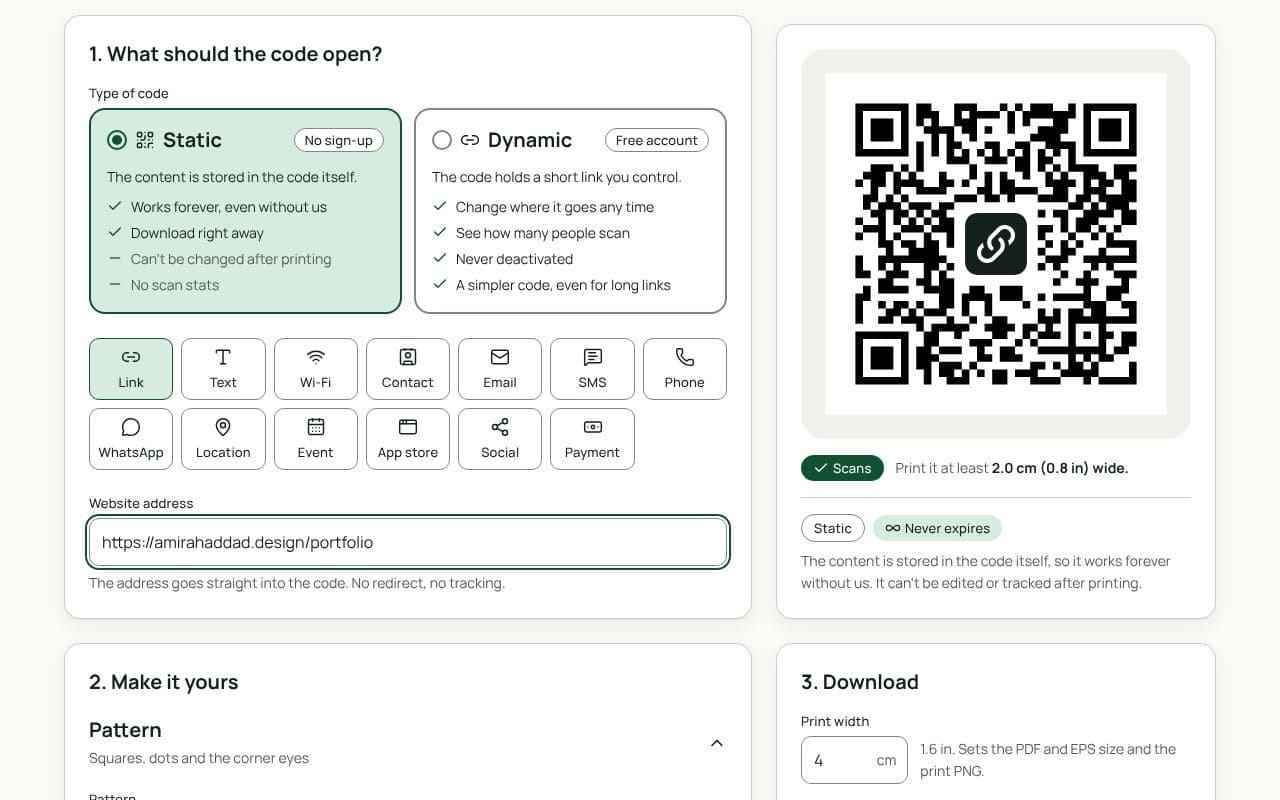
The QRfinity generator with a portfolio link in Website address and a plain black code passing the scan check.

Tips for résumés and CVs

  • Write the link out too. Software that screens applications reads text only, and some readers prefer to click.
  • Label it. A word under the code, such as “Portfolio” or “GitHub”, tells people why to scan.
  • Check the page on a phone. Whatever you link to will be opened on a phone first.
  • Keep the margin. Leave clear white space around the code; don’t let text or lines touch it.

Static or dynamic?

Either works

A static code is fine for a link that won’t change. Choose dynamic if you might move your portfolio, or want to see whether anyone scanned after an application or a careers fair. Both are free and never expire.

Questions people ask

Should I put a QR code on my résumé?

On a printed résumé or CV, a small code is a quick way to reach your portfolio or work samples. Always write the link out as well: applicant tracking systems read text, not images, so the code helps people, not software.

What should the code link to?

Your strongest evidence: a portfolio, a GitHub profile, a showreel, published work or your LinkedIn profile. One focused page is better than a page of links.

How big should it be?

About 2 to 2.5 cm wide, with a clear margin. That’s large enough to scan from a desk and small enough to sit in the header or a corner without taking over.

Can I see if a recruiter scanned it?

A dynamic code counts scans by day, so you can see if anyone scanned after you sent an application. It can’t tell you who scanned; we don’t collect that.

Guides