

What an email QR code does
An email QR code opens a new email that is already addressed, titled and started. Someone scans it and their mail app opens with your address in the “To” line, your subject at the top and your message in the body. They add a sentence or two, or nothing at all, and press send.
It suits feedback cards, support stickers on products, warranty claims, job ads, event sign-ups, press contacts and “request a quote” leaflets. Because the subject is set in advance, every reply lands in your inbox labelled, so you can sort and filter them.
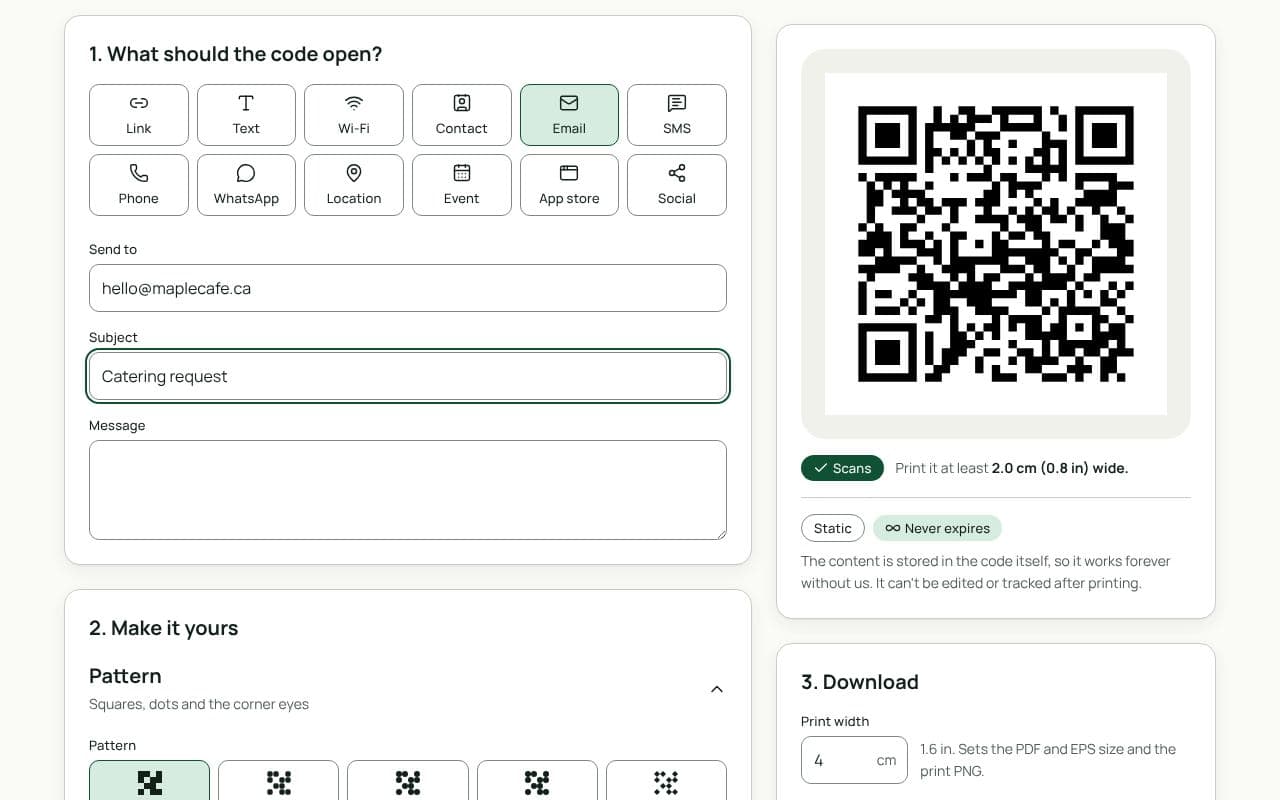
How to make an email QR code
- Enter the address. Type your email in “Send to”. A shared address that won’t change, such as hello@ or support@, is the safest choice for print.
- Write the subject. Use “Subject” for a label you can filter on, such as “Warranty claim” or “Quote request, spring flyer”.
- Start the message. In “Message”, add a short opening or the details you need, such as “Order number:” or “Best time to call:”.
- Check, style and download. Scan the preview with your phone to see the email it creates, add a frame such as “Email us”, then download a PNG or JPG, or SVG, PDF or EPS with a plan.
Using the subject to track responses
Email codes are static, so there are no scan counts. You can still see which print brings in mail by giving each one its own subject: “Quote request, trade show” on one leaflet and “Quote request, newspaper ad” on another. Set up a filter in your inbox and you’ll know which one worked.
Some people don’t have a mail app set up on their phone. Print your email address next to the code so they can still reach you from whatever app they use.
Design and print tips
- Keep the message short. A long pre-written message makes the code denser and harder to scan. Two short lines are plenty.
- Say what the email is for. A frame or line of text like “Questions? Email us” or “Request a quote” tells people what to expect.
- Size it for the reader. On a product label or sticker, 2 to 2.5 cm is enough. On a poster, use about one tenth of the distance people will stand from it.
- Use an address that will outlast the print. Avoid a personal address that may change when someone leaves the company.
Static or dynamic?
We recommend: static
Email codes are always static: the address, subject and message are stored in the code itself, and it works without any service in between. If you’ll need to change where messages go, link a dynamic code to a contact page instead.