

What an SMS QR code does
An SMS QR code holds a phone number and an optional message. When someone scans it, their messaging app opens a new text to that number with your words already typed. One tap on send and it’s done. They don’t have to copy a short code from a poster or remember a keyword.
Businesses use them for text-to-join lists, contest entries, feedback after a visit and “text us for help” stickers on equipment. Because the sender’s number arrives with the message, you can reply directly.
How to make an SMS QR code
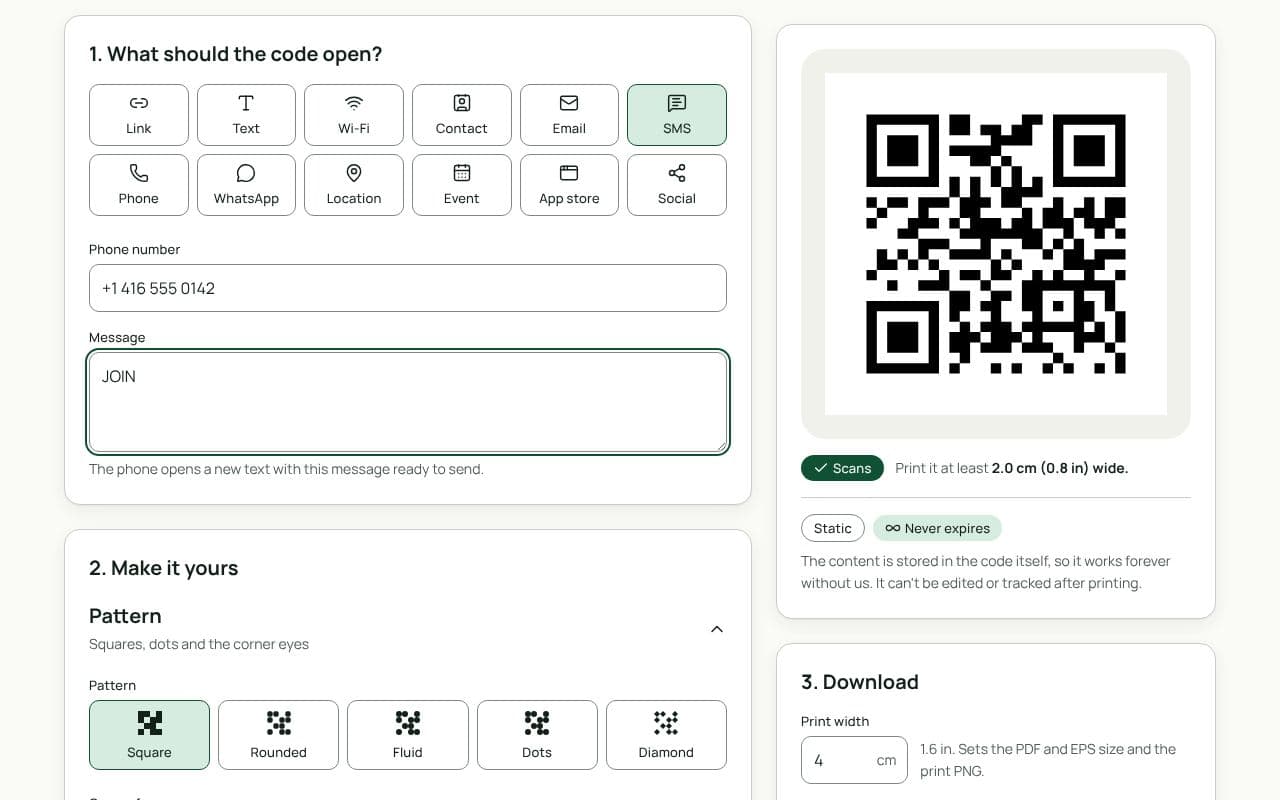
- Enter the phone number. Type it in the “Phone number” field with the country code (for example +1 for Canada and the US) so it works for visitors from abroad too.
- Write the message. In “Message”, add the words you want them to send, such as “JOIN” or “Feedback for table 12”. Keep it short; long messages make the code denser.
- Check the scan result. The live scan check decodes the preview like a phone camera. Scan it with your own phone and confirm the right number and text appear.
- Make it yours, then download. Add a frame with a clear call to action, then download a PNG for screens, or an SVG, PDF or EPS for print with a plan.
Design and print tips
- Tell people what will happen. Frame text such as “Text us” or “Scan to join” works better than a bare code. Mention that standard message rates apply if your audience might text from abroad.
- Keep the message under about 40 characters. Every character adds data. A short keyword keeps the code simple, which helps it scan from further away.
- Size it for the spot. On a receipt or counter card, 2.5 to 3 cm is enough. On a window poster read from 3 metres, aim for 30 cm.
- Use a number that can receive texts. Many landlines can’t. Test the code end to end and check the message actually arrives before you print.
- Plan your replies. If the code is for opt-ins or support, have someone, or an SMS service, ready to answer. A text that gets no reply costs you more trust than no code at all.
Messages that work well
A pre-filled message does two jobs: it saves the sender typing, and it tells you why they’re texting. A few patterns that make replies easier to sort:
- A keyword for each campaign. “SPRING” on the flyer and “WINDOW” on the shop poster show which one brought the text.
- A location or table number. “Feedback, table 12” lets you follow up with the right team.
- A clear request. “Please call me back about a quote” is easier to act on than “Hi”.
Static or dynamic?
We recommend: static
SMS codes are always static: the number and message live inside the code, and the phone builds the text without contacting any server. If you need a destination you can change later, link to a contact page on your site with a dynamic Link code instead.