

What a Facebook QR code does
A Facebook QR code opens your page, profile or group in one scan. People land on it in the Facebook app, ready to follow, message you or check your opening hours and reviews.
Local businesses print them on receipts, bags and windows. Clubs, churches and schools use them to fill their groups, and event organisers to send people to the event page.
How to make a Facebook QR code
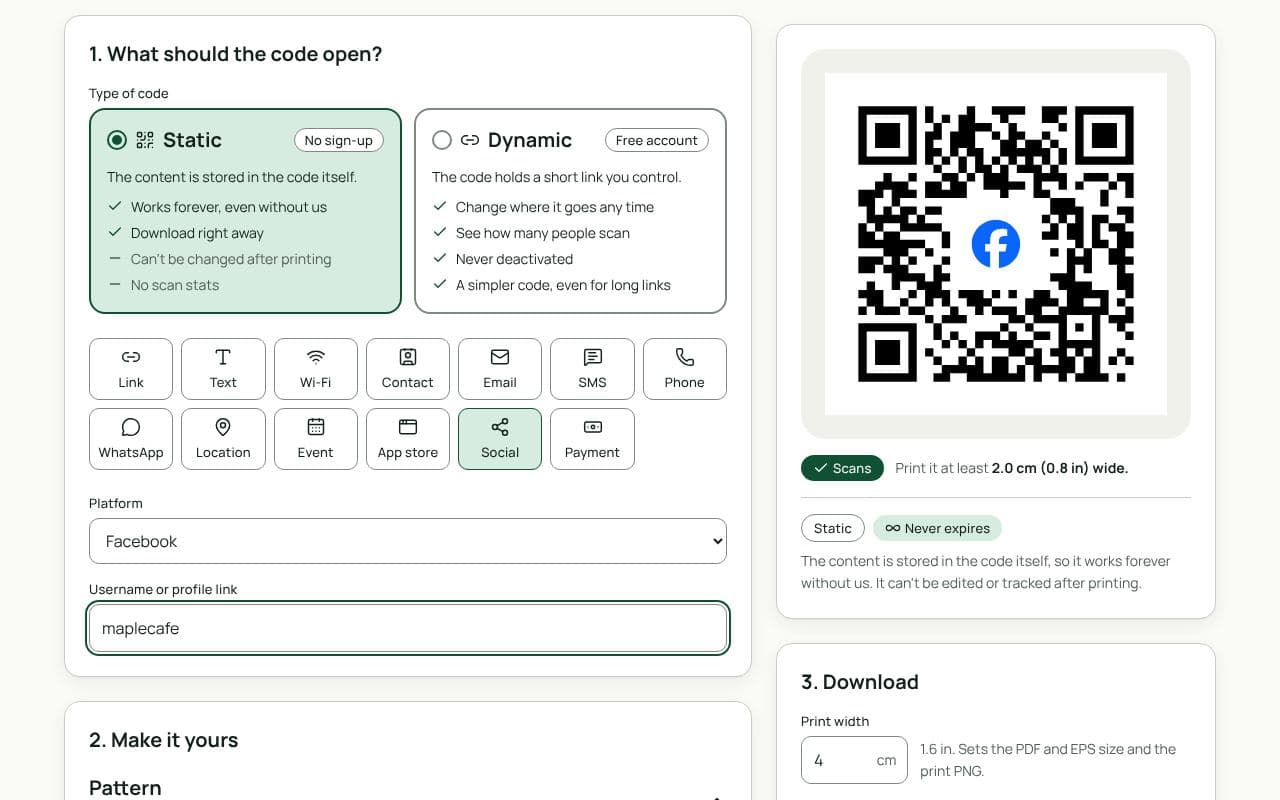
- Check that Social and Facebook are selected. This page loads the Social type with Facebook chosen as the Platform.
- Enter your page’s username or link. For a group or event, paste its link.
- Choose static or dynamic. Static works forever with nothing in between. Dynamic lets you change where it goes later and counts scans.
- Make it yours. The Facebook logo is already in the middle. Pick colours and add a frame like “Follow us on Facebook”.
- Download or save. Download a static code right away, or save a dynamic code to your free account.
Design and print tips
- Say what’s there. “Weekly specials on our page” or “Join the parents’ group” tells people why to scan.
- Put it where people wait. Counters, tables and checkout queues get more scans than shop doors.
- Keep the code dark on light. Facebook blue works well for the frame and logo.
- Size it for the distance. 2.5 cm for receipts and cards, 4 to 5 cm for counters, 20 cm or more for posters.
Static or dynamic?
Either works
A static code works forever if your page address won’t change. Choose dynamic to count scans from each poster, or to point the same print at an event or a new page later.