

What a payment link QR code does
A payment link QR code opens a checkout page from the payment provider you already use. The customer scans, sees your business name and the amount, and pays with a card or wallet on their own phone. You don’t need a card terminal, and there’s no cash to count.
Market stalls, tradespeople, tutors, food trucks and charities use them on counters, invoices, delivery notes and donation posters.
How to make a payment link QR code
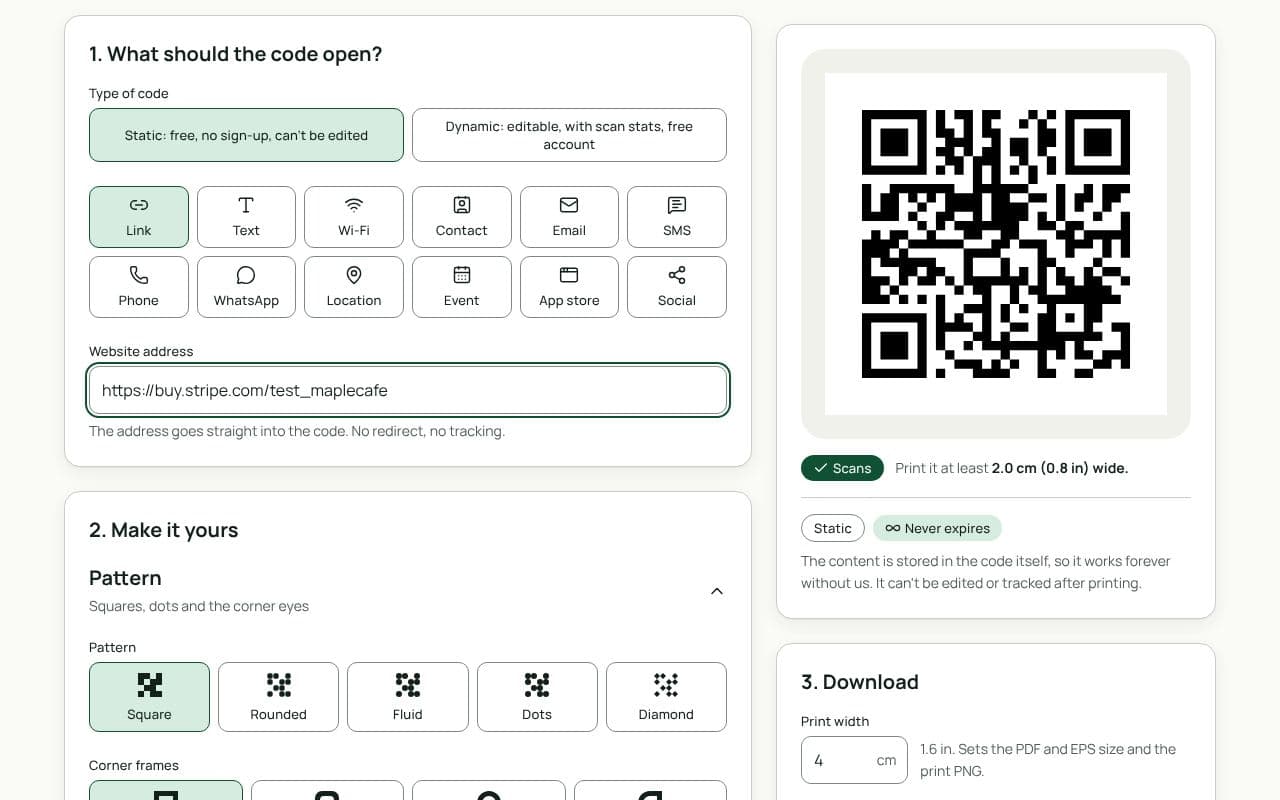
- Create a payment link with your provider. In PayPal, Stripe, Square or similar, make a link for a fixed amount or an open amount.
- Paste it in. Paste the link into “Website address”.
- Scan and pay a test amount. Use your own phone to check the code opens the right checkout page with your name on it.
- Add a frame, then save or download. Frame text such as “Scan to pay” tells customers what to expect.
Design and print tips
- Show who gets paid. Print your business name and the expected amount beside the code. Customers can match it to the checkout page before they pay.
- Put it at arm’s length. On a counter, a stand at 30 cm away needs a code about 3 cm wide. On an invoice, 2.5 cm is plenty.
- Make tampering obvious. Print the code into the sign itself or behind a clear cover, rather than on a sticker someone could cover with their own.
- Use your brand colours on the frame. Keep the code itself dark on light so it scans fast at a busy till.
- Keep a backup. Have a written link or another way to pay for the few people who prefer not to scan.
QR payment scams usually work by sticking a fake code over a real one. Check your printed codes regularly, replace any that look covered or peeled, and tell customers to check the business name on the payment page. Our abuse checks screen the destinations of dynamic codes, but a sticker placed on top of yours isn’t a QRfinity code at all, so regular checks matter most.
Fixed or open amount?
A fixed-amount link suits things with one price: a class fee, a parking day pass, a set donation. The customer only confirms and pays. An open-amount link suits tips, donations and invoices that vary; the customer types the amount, so print it clearly next to the code to avoid mistakes. You can keep one code for each, side by side, with plain labels underneath.
Static or dynamic?
Either works
A static code is fine for a payment link that won’t change. Choose dynamic if you might switch providers or replace the link, or want to see how many people scan each sign, without reprinting.