

What a Cash App QR code does
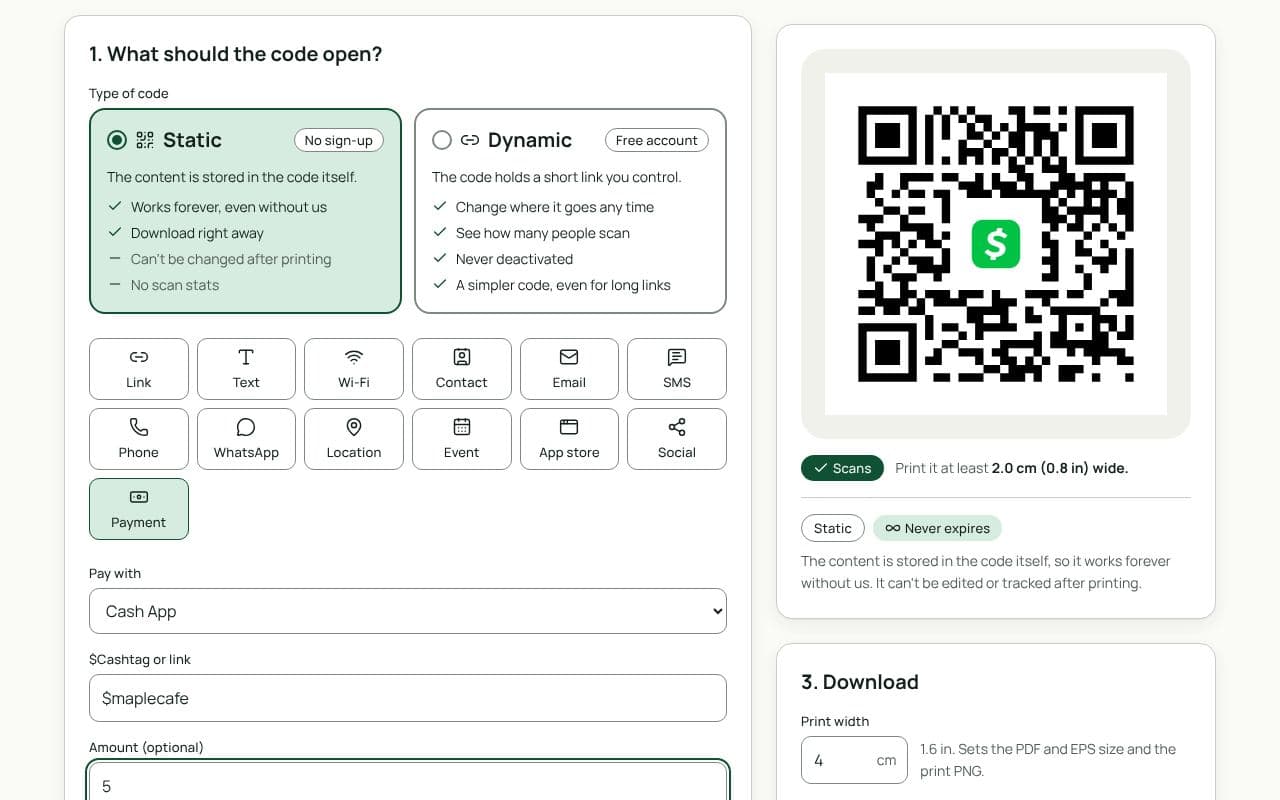
A Cash App QR code opens your $Cashtag in one scan, with the amount filled in if you set one. The payer confirms and pays from their Cash App balance or card. No typing your $Cashtag, no sending money to someone with a similar name by mistake.
Barbers and nail techs put them by the chair, bands on merch tables, and street vendors on their carts.
How to make a Cash App QR code
- Check that Payment and Cash App are selected. This page loads the Payment type with Cash App chosen.
- Enter your $Cashtag. With or without the $, or paste your cash.app link.
- Add an amount, or leave it open. Set one for a fixed price; leave it empty for tips.
- Make it yours. The Cash App logo is already in the middle. Pick colours and add a frame such as “Tips welcome”.
- Scan it, then download or save. Check that your $Cashtag opens on your phone, then download the code or save it as a dynamic code.
Design and print tips
- One code per price. For a menu of services, a code for each price is quicker than asking people to type amounts.
- Print your $Cashtag too. It lets payers check the name Cash App shows before they confirm.
- Protect it from stickers. Laminate the sign or print the code into it, and check it now and then for anything stuck on top.
- Size it for the distance. 3 cm suits a counter card, 5 cm a flyer, and 20 cm or more a poster.
Static or dynamic?
Either works
A static code holds your $Cashtag link directly and never needs anything else. Choose dynamic if prices change, so you can update the amount without reprinting, or to see how many people scan each sign.