

What a Pix QR code does
A Pix QR code lets anyone in Brazil pay you from their bank app in seconds. They scan, check your name and the amount, confirm, and the money arrives in your account at once, any day and at any hour. Nobody has to type a CPF or a long random key.
Market stalls, hairdressers, food trucks, freelancers and churches put them on counters, invoices, delivery bags and donation posters.
How to make a Pix QR code
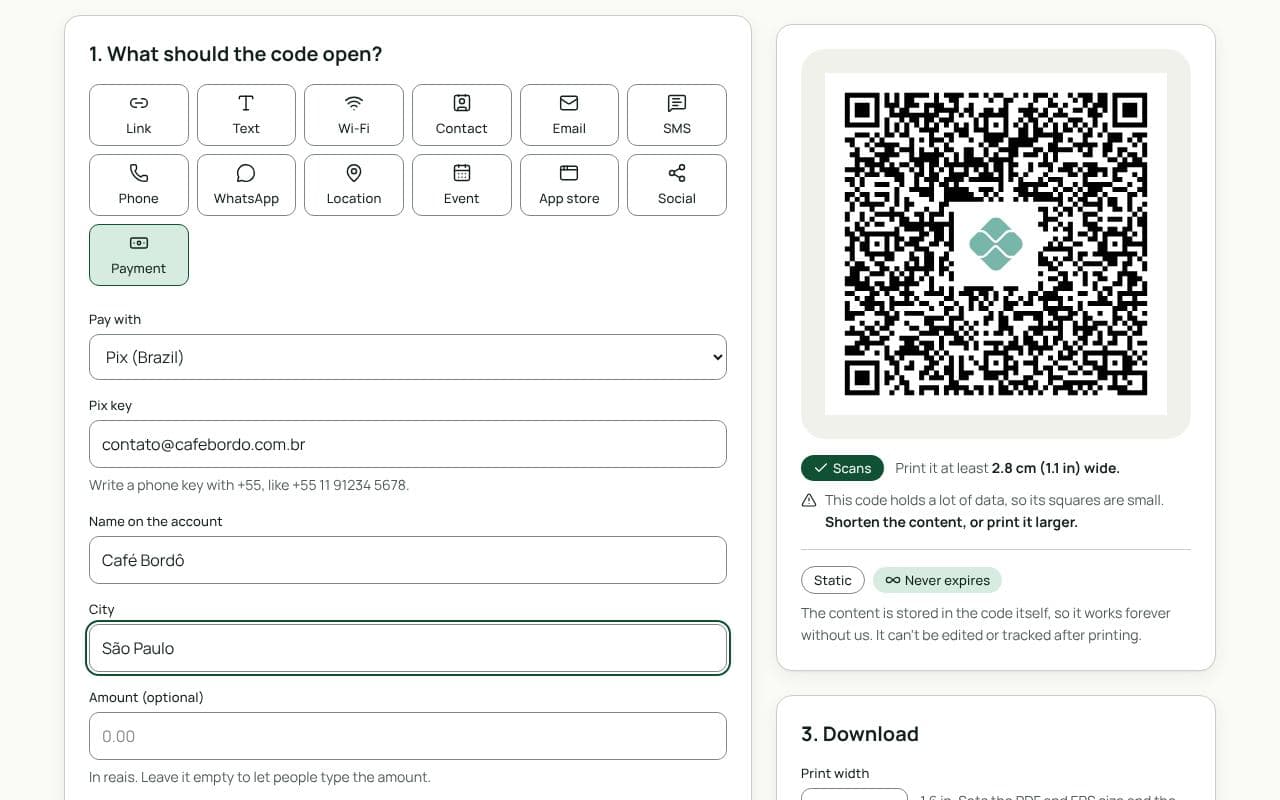
- Check that Payment and Pix are selected. This page loads the Payment type with Pix chosen.
- Enter your Pix key. CPF, CNPJ, email, phone with +55, or random key.
- Add your name and city. Use the name registered with your key, so it matches what the payer’s bank shows.
- Add an amount and a message, if you want them. A fixed amount suits a set price; leave it empty for tips and bills that vary.
- Make it yours, then test it. Pick colours and a frame like “Pague com Pix”. Pay yourself a small amount from another bank app before you print.
Design and print tips
- Write the frame in Portuguese. “Pague com Pix” or “Aponte a câmera e pague” works as frame text, accents included; it’s drawn as shapes, so it prints the same everywhere.
- Show your name beside the code. Payers can match it with the name their bank shows before they confirm.
- Make tampering obvious. Print the code into the sign or laminate it, and check it regularly for stickers on top.
- Size it for the distance. 2.5 cm is enough on an invoice, 4 to 5 cm on a counter, and 20 cm or more on a poster.
Static or dynamic?
We recommend: static
Bank apps only pay Pix codes that hold the BR Code directly, so a Pix code made here is always static. It keeps working for as long as your Pix key is registered, with nothing in between.