

What a UPI QR code does
A UPI QR code lets anyone pay you from their UPI app. They scan, see your name and the amount, enter their UPI PIN, and the money arrives in your bank account straight away. You don’t need a card machine, and they don’t have to type your UPI ID or phone number.
Chai stalls, kirana shops, tutors, tailors, auto drivers and home bakers use them on counters, receipts, delivery bags and WhatsApp catalogues.
How to make a UPI QR code
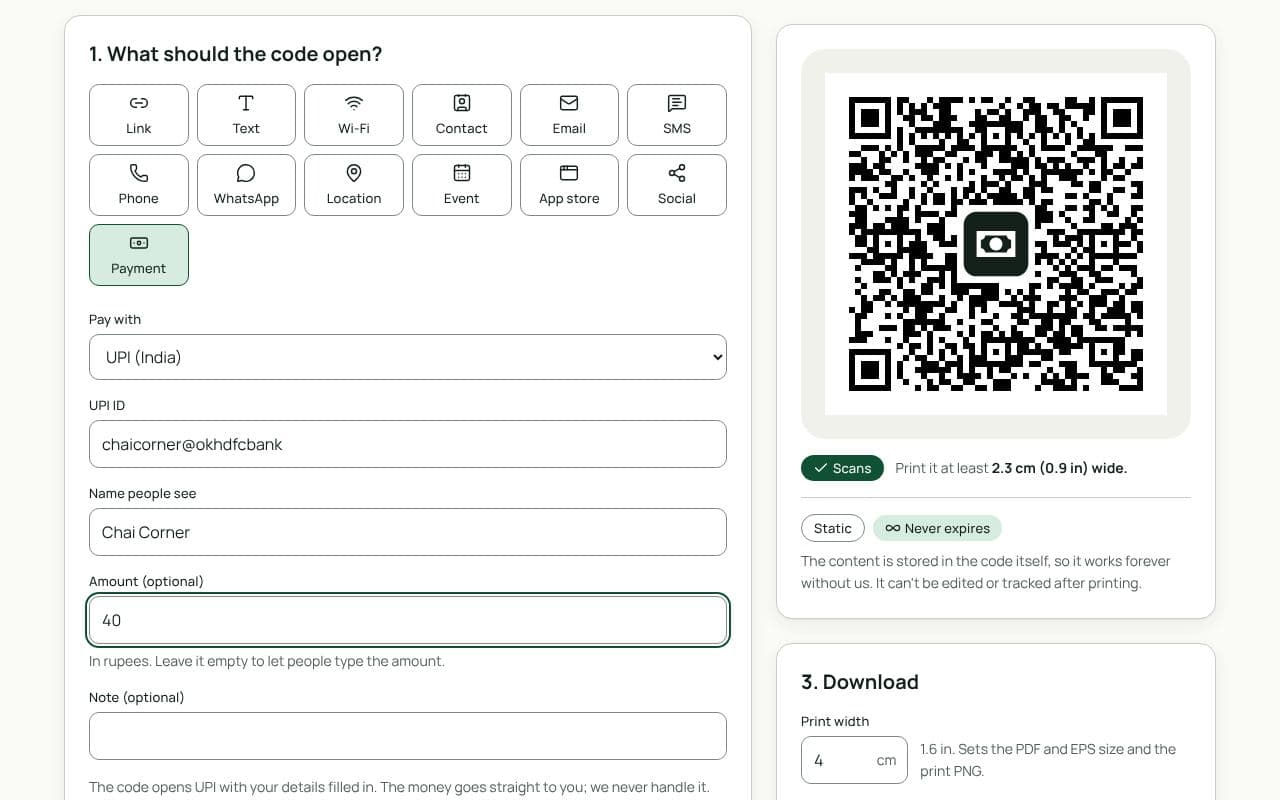
- Check that Payment and UPI are selected. This page loads the Payment type with UPI chosen.
- Enter your UPI ID. It looks like yourname@okhdfcbank or 98xxxxxx10@ybl; you’ll find it in your UPI app’s profile.
- Add your name. This is the name in the code. The payer’s app also looks up the name registered with your UPI ID, so use the same one.
- Add an amount and a note, if you want them. A fixed amount suits a set price; the note, such as “Table 4”, shows in the payer’s app.
- Make it yours, then test it. Pick colours and a frame like “Scan and pay with any UPI app”. Pay yourself a small amount from another phone before you print.
Design and print tips
- Show the name and UPI ID beside the code. Payers can check that what their app shows matches your sign.
- Make tampering obvious. Fake codes stuck over real ones are the most common UPI scam at shop counters. Print the code into the sign, laminate it, and check it every day.
- Keep it dark on light. UPI apps scan fast in shop lighting when the code has strong contrast and a clear margin.
- Size it for the counter. 4 to 5 cm is easy to scan from across a counter; 2.5 cm is enough on a bill or receipt.
Never scan a UPI code to receive money. Receiving money never needs your PIN; if an app asks for it, you’re paying, not receiving. Tell customers the same if they ask.
Static or dynamic?
We recommend: static
UPI apps only pay codes that hold your UPI details directly, so a UPI code is always static. It works for as long as your UPI ID does, with nothing in between that could stop it.