

A small QR code on a birthday invitation saves everyone typing: guests scan to RSVP, see the address on a map, or find the gift list. Make it dynamic and the same code can open the photo album after the party, and you can fix the details if plans change. Free, and the code never expires.
How to make a birthday invitation QR code
- Make the page: an RSVP form (such as Google Forms), an event page or a shared album.
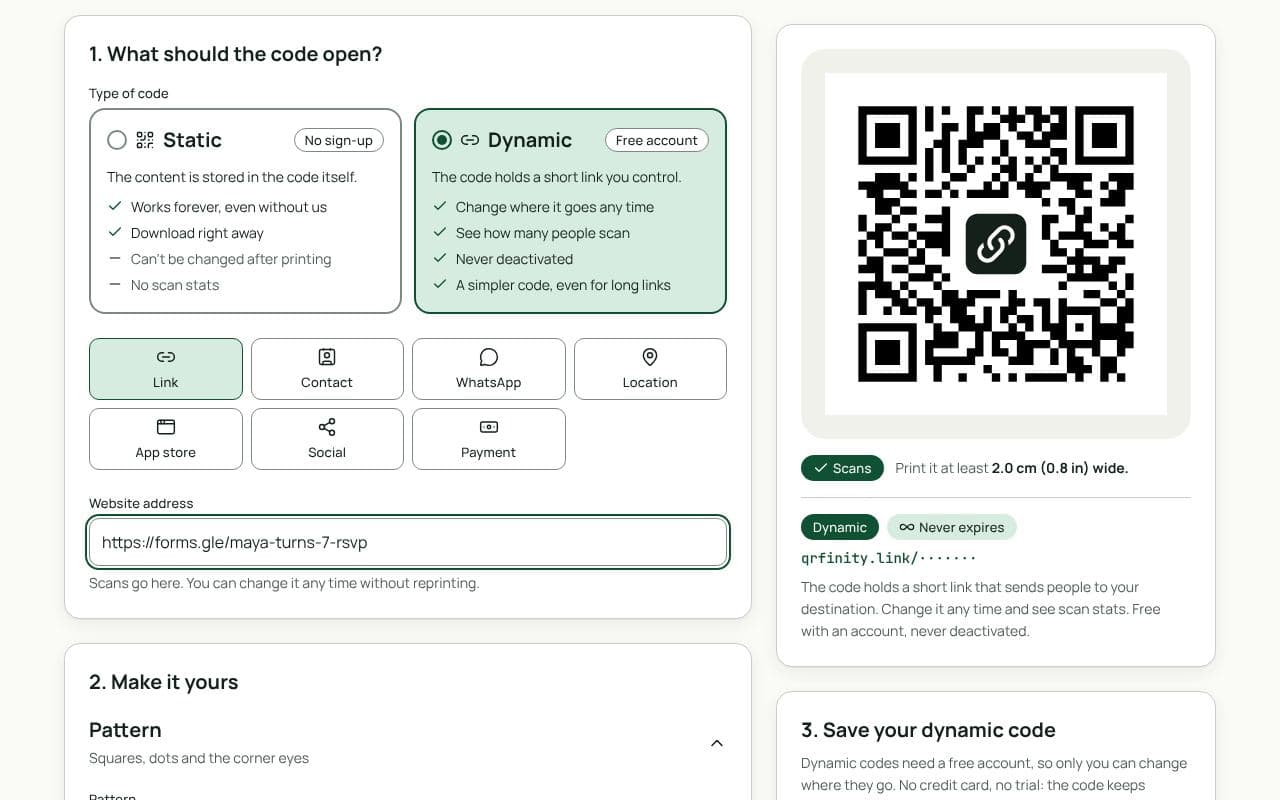
- Paste the link in “Website address” above and keep the code dynamic.
- Match the card. Pick colours from the invitation design and add a frame like “RSVP here”.
- Download. PNG for home printing or digital designs; SVG or PDF for a print shop.
Ideas
- RSVP form: name, number of guests, dietary needs. Answers arrive in one place.
- Directions: a map location code opens the address in Google or Apple Maps.
- Gift list or wishlist: saves the awkward question.
- After the party: switch the same code to a shared photo album, and send a thank-you note that says “scan your invitation for the photos”.
For bigger celebrations, the wedding page has more ideas.
Design tips
- 2 to 2.5 cm is plenty on an invitation card held in the hand.
- Contrast matters more than colour. A dark code on a light area of the card; pastel codes on pastel cards often fail.
- Test a printed card before printing the whole batch.
Static or dynamic?
We recommend: dynamic
Choose dynamic. Plans change, and a dynamic code lets you update the venue or switch from RSVPs to photos without reprinting. It’s free and never expires.