

Skip to content
QRfinityQRfinity

Free Venmo QR code generator

Scan to open your Venmo profile and pay you in a few taps.

Fill in the details to see your code.

StaticNever expires

1. What should the code open?

Type of code
Content type

The code opens Venmo with your details filled in. The money goes straight to you; we never handle it.

2. Make it yours

PatternSquares, dots and the corner eyes
Pattern
Corner frames
Corner centres
ColoursCode, corners and background
Code colour

For PNG, SVG, PDF and EPS. JPG always gets a solid background.

LogoThe Venmo icon
Logo to show

Shows the Venmo icon because the code opens Venmo. Choose None or your own logo to change it.

FrameA call to action around the code
Frame style
AdvancedError correction and margin

Higher levels survive scratches and smudges but make a denser code.

4 modules
Saved designsReuse a design on your next code

Saved in this browser only. Accounts will keep them across devices.

What a Venmo QR code does

A Venmo QR code opens your Venmo profile in one scan. Instead of searching for your username, and picking the right one from a list of similar names, the payer lands on your page and taps Pay. It’s a quick way to take money from friends, customers and fans who already use Venmo.

Dog walkers and tutors put them on flyers, food trucks and market stalls on the counter, and clubs and teams on sign-up sheets for dues.

How to make a Venmo QR code

  1. Check that Payment and Venmo are selected. This page loads the Payment type with Venmo chosen.
  2. Enter your Venmo username. Type it with or without the @, or paste your venmo.com link.
  3. Choose static or dynamic. Static works forever with nothing in between. Dynamic lets you change where the code goes later and counts scans.
  4. Make it yours. The Venmo logo is already in the middle. Pick colours and add a frame like “Pay with Venmo”.
  5. Scan it, then download or save. Check that your own profile opens, then download the code or save it to your free account.
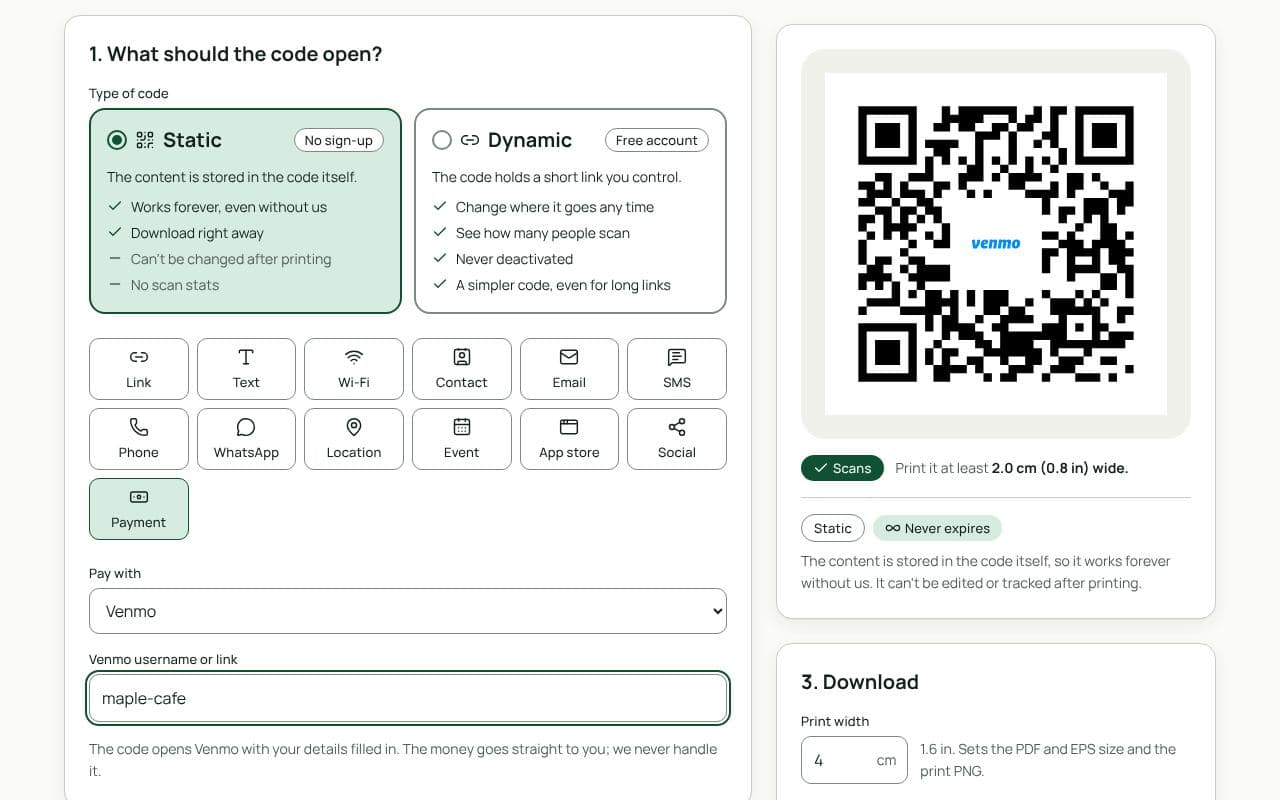
The QRfinity generator with Payment selected, Venmo chosen, a username filled in, and a code with the Venmo logo in the middle.

Design and print tips

  • Print the price and what it’s for. “Dues: $20” or “Coffee: $4” under the code saves a question at a busy counter.
  • Add your @username. It helps people check they’re paying the right person before they send money.
  • Keep it dark on light. Venmo blue works well for the frame; keep the code itself dark on a light background.
  • Size it for the distance. 3 cm suits a counter card, 5 cm a flyer, and 20 cm or more a poster.

Static or dynamic?

Either works

If your username is settled, a static code works forever. Choose dynamic if you might change your username, want to switch a sign to another payment app later, or want to know how many people scan it.

Questions people ask

What does a Venmo QR code open?

Your Venmo profile. On a phone with Venmo installed it opens in the app, where people tap Pay, type the amount and send it. Without the app, Venmo’s website opens instead.

Can I put an amount in the code?

Not with this code: it opens your profile, and the payer types the amount. Print the price next to the code so they know what to send.

Does it work outside the United States?

Venmo is a US service, so the people paying you need a US Venmo account. For other countries, a PayPal, UPI or Pix code may suit you better.

Venmo already has a QR code. Why make another?

The code in the app is fine for showing on your phone. Ours is made for print: your colours, the Venmo logo, a frame that says what the payment is for, and sizes that scan from across a room.

Does QRfinity see my payments?

No. The code only opens your profile. Venmo handles the payment, and we never see who paid or how much.

Guides