

Skip to content
QRfinityQRfinity

Free Discord QR code generator

Scan to join your Discord server in one tap.

DynamicNever expires
Checking

1. What should the code open?

Type of code
Content type

Scans go here. You can change it any time without reprinting.

2. Make it yours

PatternSquares, dots and the corner eyes
Pattern
Corner frames
Corner centres
ColoursCode, corners and background
Code colour

For PNG, SVG, PDF and EPS. JPG always gets a solid background.

LogoThe Link icon
Logo to show

Shows a link icon for this kind of code. Choose None or your own logo to change it.

FrameA call to action around the code
Frame style
AdvancedError correction and margin

Higher levels survive scratches and smudges but make a denser code.

4 modules
Saved designsReuse a design on your next code

Saved in this browser only. Accounts will keep them across devices.

What a Discord QR code does

A Discord QR code opens your server invite in one scan. Nobody has to type a random invite code from a poster or a stream; they scan, tap Join and they’re in.

Streamers put them on overlays and end screens, game shops and clubs on posters, teachers and societies on handouts, and event organisers on badges and slides.

How to make a Discord QR code

  1. Create an invite that doesn’t expire. In your server, choose Invite People, then edit the invite link and set “Expire after” to Never.
  2. Paste the invite link into Website address. It looks like discord.gg/ followed by a code.
  3. Keep it dynamic. This page starts with a dynamic code, so you can swap in a new invite if this one is ever deleted.
  4. Make it yours. The Discord logo is added automatically. Pick colours and a frame like “Join the community”.
  5. Save and test. Save the code to your free account, scan it with your phone, and check the invite opens your server.
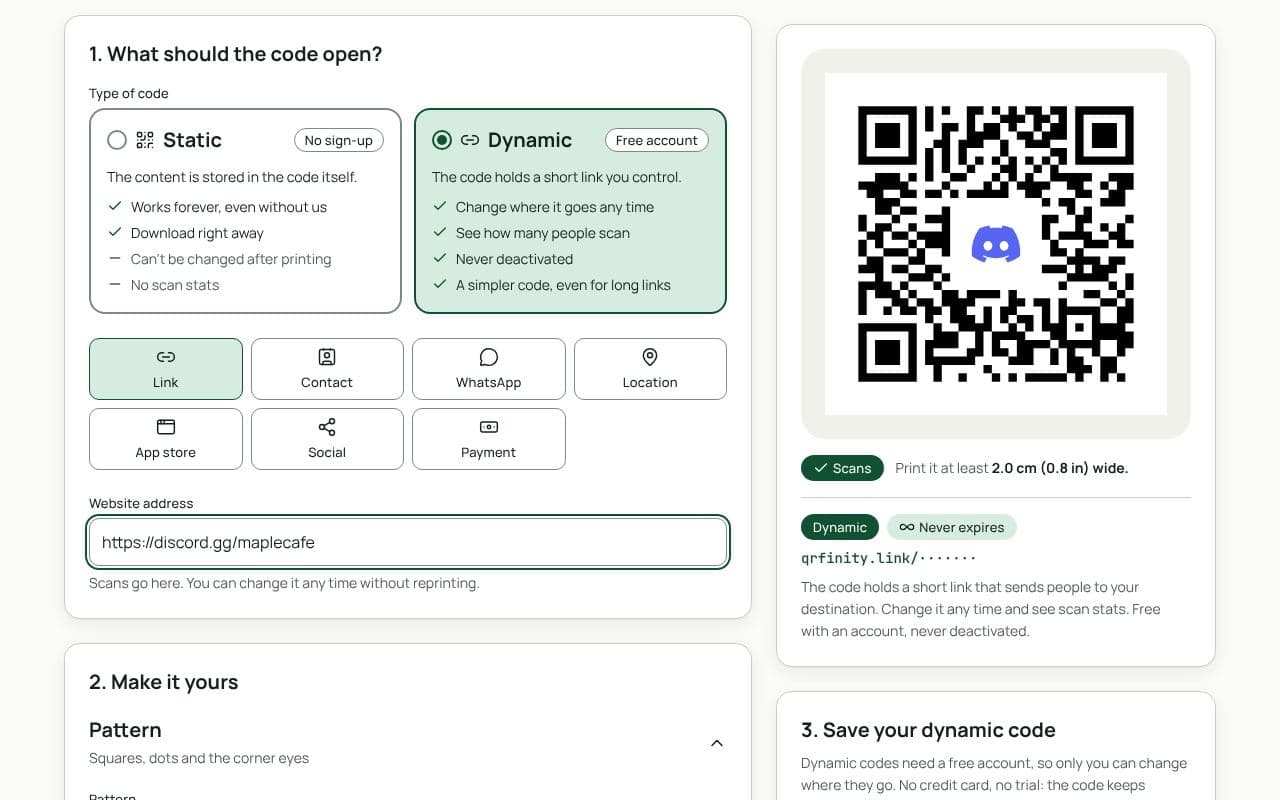
The QRfinity generator set to a dynamic code, with a discord.gg invite in Website address and a code with the Discord logo in the middle.

Design and print tips

  • Say what the server is for. “Weekly game nights” or “Homework help” earns more joins than “Join our Discord”.
  • On streams, keep it on screen. At least 5 seconds, large enough to scan from a sofa.
  • Use Discord blurple for the frame. Keep the code itself dark on a light background.
  • Check your server’s welcome screen and rules channel before you print: that’s the first thing new members see.

Static or dynamic?

We recommend: dynamic

Invites get deleted, reset or expire, and every printed static code would die with them. A dynamic code lets you swap in a new invite in seconds without reprinting, and counts how many people scanned. It’s free and never expires.

Questions people ask

Do Discord invite links expire?

By default, yes: a new invite expires after 7 days. When you create the invite, open its settings and set “Expire after” to Never before you put it in a code.

What if my invite expires after printing?

With a dynamic code, make a new invite and paste it into the code in your dashboard; the printed code keeps working. A static code would need reprinting, which is why this page starts with a dynamic code.

Can I limit how many people join?

Discord lets you set a maximum number of uses on an invite. You can also add a scan limit to a dynamic code, so scans go to a page of your choice once it’s reached.

Does it open the Discord app?

Yes. On a phone with Discord installed, the invite opens in the app, ready to join. Without the app, it opens Discord’s website.

Guides