

Skip to content
QRfinityQRfinity

QR code for your link-in-bio page

One scan to every link you share.

Fill in the details to see your code.

StaticNever expires

1. What should the code open?

Type of code
Content type

The address goes straight into the code. No redirect, no tracking.

2. Make it yours

PatternSquares, dots and the corner eyes
Pattern
Corner frames
Corner centres
ColoursCode, corners and background
Code colour

For PNG, SVG, PDF and EPS. JPG always gets a solid background.

LogoThe Link icon
Logo to show

Shows a link icon for this kind of code. Choose None or your own logo to change it.

FrameA call to action around the code
Frame style
AdvancedError correction and margin

Higher levels survive scratches and smudges but make a denser code.

4 modules
Saved designsReuse a design on your next code

Saved in this browser only. Accounts will keep them across devices.

What a link-in-bio QR code does

A link-in-bio QR code opens the page that lists all your links: your shop, latest video, newsletter, socials and booking page. One scan takes people to everything, and you update the list whenever you like without touching the code.

Musicians put them on merch and stage banners, creators on stickers and business cards, small shops on packaging, and speakers on their last slide.

How to make a link-in-bio QR code

  1. Copy your page’s address. For example linktr.ee/yourname.
  2. Paste it into Website address. Linktree links get the Linktree logo automatically.
  3. Choose static or dynamic. Dynamic lets you switch to a different service later and counts scans.
  4. Make it yours. Pick your brand colours and a frame like “All my links”.
  5. Download or save. Download a static code right away, or save a dynamic code to your free account.
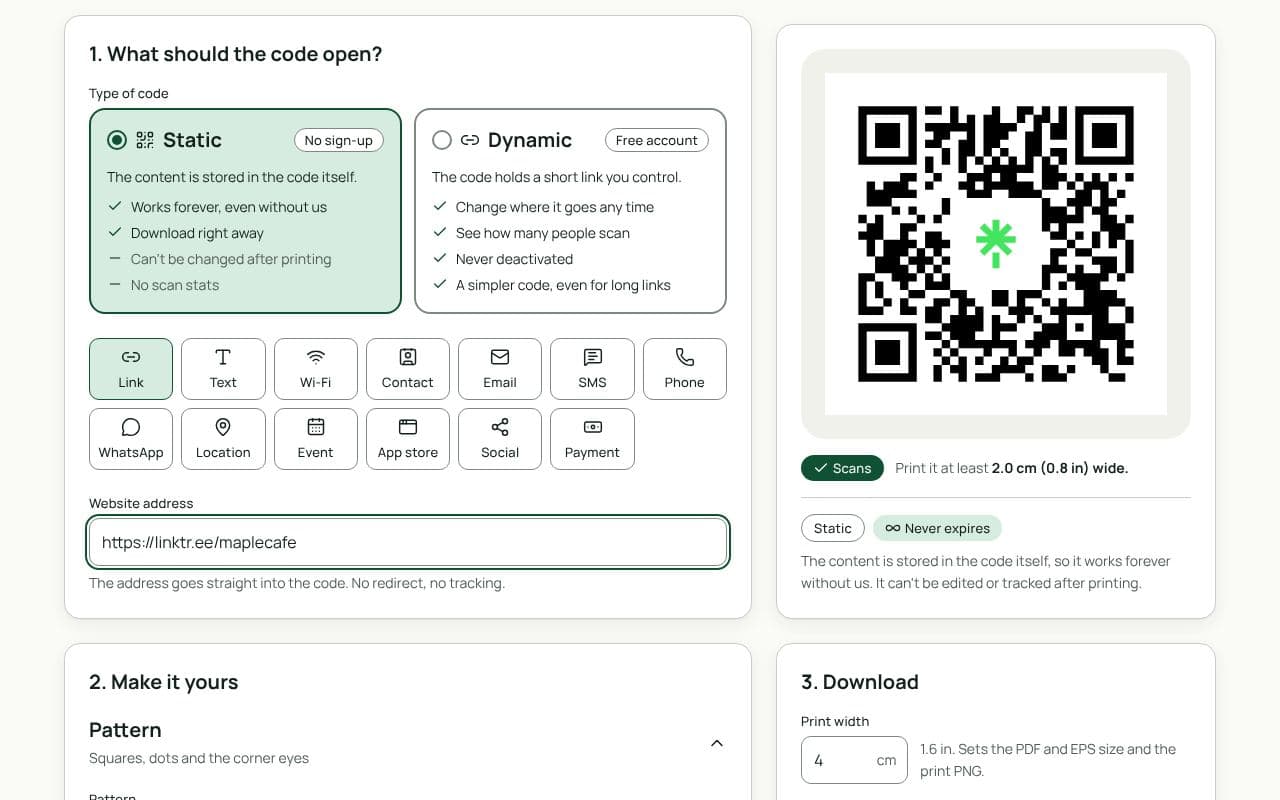
The QRfinity generator with a Linktree link in Website address and a code with the Linktree logo in the middle.

Design and print tips

  • Put your most important link first on the page: most people tap the top one.
  • Say what’s there. “Music, merch and tour dates” beats “Links”.
  • On merch, test the fabric. Print a sample and scan it; stretchy or textured fabric can distort small codes.
  • Size it for the distance. 2.5 cm on cards and stickers, 20 cm or more on a stage banner.

Static or dynamic?

Either works

A static code holds your page’s address and works for as long as the page does. Choose dynamic if you might move to another service or your own website, and to count scans from each place you print it.

Questions people ask

Which link-in-bio pages work?

Any of them: Linktree, Beacons, Carrd, Bio.link, Stan, or a links page on your own website. Paste its address into Website address.

Why not one code per link?

On small things like business cards, stickers and merch, one code is all there’s room for. A link-in-bio page lets people pick what they want, and you can change the list without touching the code.

What if I move to a different link-in-bio service?

With a dynamic code, point it at the new page from your dashboard. With a static code, you’d need to reprint, so choose dynamic if you might switch.

Can I see how many people scanned?

A dynamic code counts scans by day, device and country, free. Your link-in-bio service shows which links people tapped after that.

Guides