

A QR code that opens your Etsy shop turns every order and every market stall into a way back: a thank-you card in the parcel, a sticker on the box, a sign at the craft fair. Paste your shop link, add your logo and colours, and download it for free. No watermark, and the code never expires.
How to make an Etsy QR code
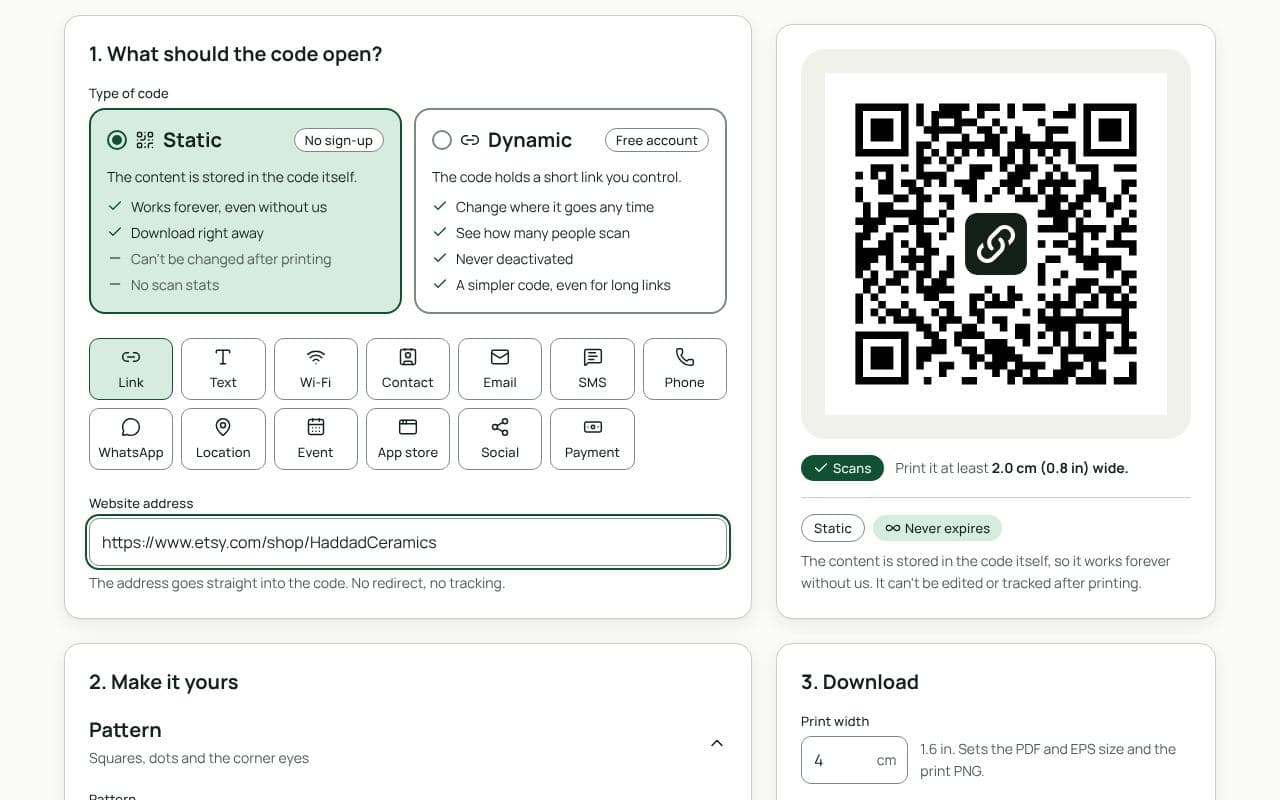
- Copy your shop link:
https://www.etsy.com/shop/YourShopName, or the link to one listing. - Paste it in “Website address” above.
- Make it yours. Add your logo, pick colours from your branding, and add a frame such as “Shop again” or “Find us on Etsy”.
- Download. PNG for printing at home; SVG or PDF for a print shop.
Where Etsy sellers use QR codes
- Thank-you cards: “Thanks for your order. Scan to see what’s new.” The best moment for a repeat sale.
- Packaging stickers and swing tags: on gifts, the person who receives it can find you too.
- Craft fairs and markets: a sign at the stall lets people browse later, after the fair.
- Business cards: your shop, or a contact card for wholesale enquiries.
- Social links: if your audience lives on Instagram, a second code there.
Tips
- Say why to scan. “10% off your next order” or “See the full collection” beats a bare code. Run any discounts through Etsy’s own coupon tools.
- Print it big enough. At least 2 cm wide on a card; 5 cm or more on a stall sign people read from a step back.
- Match your brand, keep the contrast. Dark code on a light background, even if your colours are soft.
Static or dynamic?
We recommend: static
Static is fine for your shop’s main page: the address stays the same, and the code works forever without an account. Choose dynamic if you want to count scans from a market stall, or point the same printed cards at a seasonal collection.