

What a Snapchat QR code does
A Snapchat QR code takes people to your profile in one scan, ready to add you. It works with any phone camera, not just Snapchat’s, so it reaches people who would never open the app to scan a Snapcode.
Creators put them on merch and stickers, venues and brands on posters, packaging and menus, and students on club flyers.
How to make a Snapchat QR code
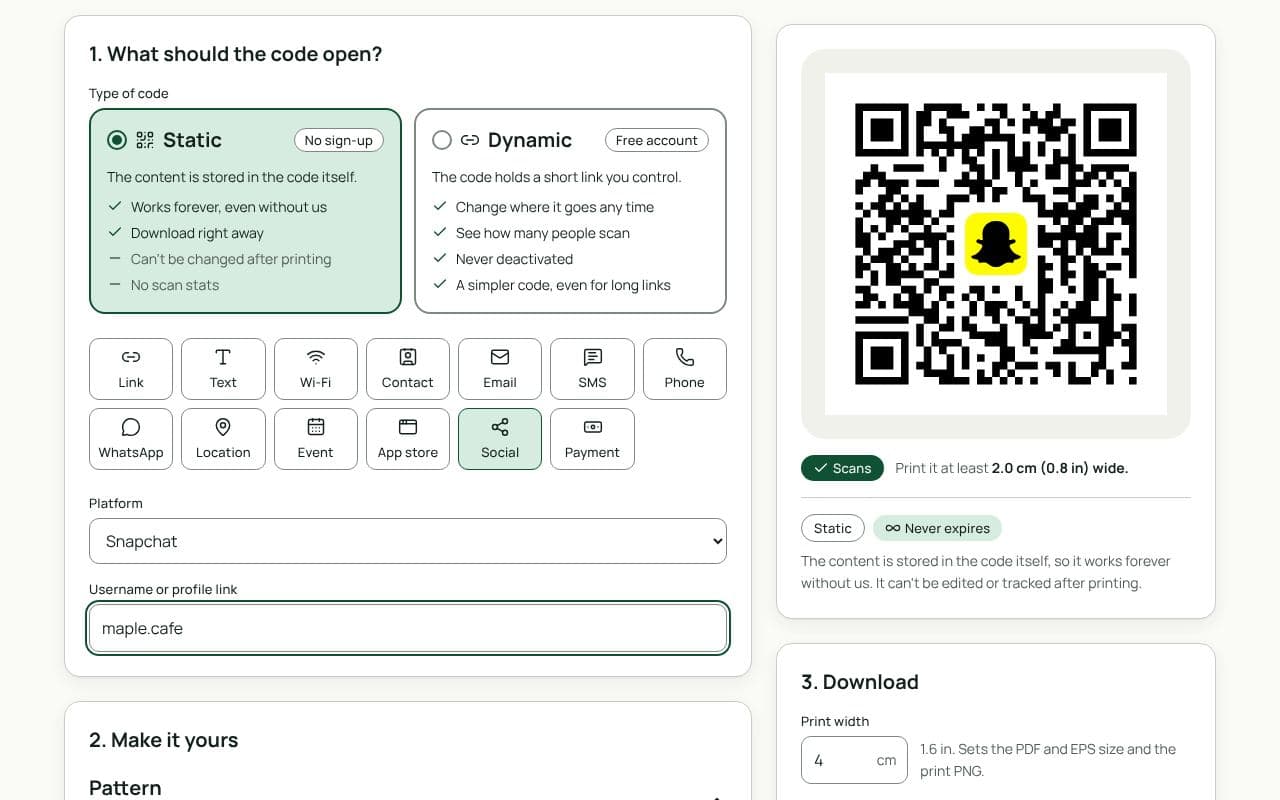
- Check that Social and Snapchat are selected. This page loads the Social type with Snapchat chosen as the Platform.
- Enter your username. With or without the @, or paste your profile link.
- Choose static or dynamic. Static works forever with nothing in between. Dynamic lets you change where it goes later and counts scans.
- Make it yours. The Snapchat ghost is already in the middle. Pick colours and a frame like “Add us on Snapchat”.
- Download or save. Download a static code right away, or save a dynamic code to your free account.
Design and print tips
- Use yellow for the frame, not the code. Snapchat yellow is too light for the code itself; keep the squares dark.
- Say why to add you. “Daily behind-the-scenes” or “Exclusive deals” earns more adds.
- Print the username too, for anyone who prefers to search.
- Size it for the distance. 2.5 cm for stickers and cards, 4 to 5 cm for flyers, 20 cm or more for posters.
Static or dynamic?
Either works
For a username you’ll keep, a static code works forever. Choose dynamic to count scans from each poster, or to point the same print at a new account or a campaign later.