

Skip to content
QRfinityQRfinity

Free Threads QR code generator

Scan to open your Threads profile and follow.

Fill in the details to see your code.

StaticNever expires

1. What should the code open?

Type of code
Content type

2. Make it yours

PatternSquares, dots and the corner eyes
Pattern
Corner frames
Corner centres
ColoursCode, corners and background
Code colour

For PNG, SVG, PDF and EPS. JPG always gets a solid background.

LogoThe Threads icon
Logo to show

Shows the Threads icon because the code opens Threads. Choose None or your own logo to change it.

FrameA call to action around the code
Frame style
AdvancedError correction and margin

Higher levels survive scratches and smudges but make a denser code.

4 modules
Saved designsReuse a design on your next code

Saved in this browser only. Accounts will keep them across devices.

What a Threads QR code does

A Threads QR code opens your Threads profile in one scan, so people can follow you there without searching. It suits anyone building a following on Threads alongside Instagram: shops, creators, writers and local businesses.

How to make a Threads QR code

  1. Check that Social and Threads are selected. This page loads the Social type with Threads chosen as the Platform.
  2. Enter your username. With or without the @; it’s the same as your Instagram username.
  3. Choose static or dynamic. Static works forever with nothing in between. Dynamic lets you change where it goes later and counts scans.
  4. Make it yours. The Threads logo is already in the middle. Pick colours and a frame like “Follow us on Threads”.
  5. Download or save. Download a static code right away, or save a dynamic code to your free account.
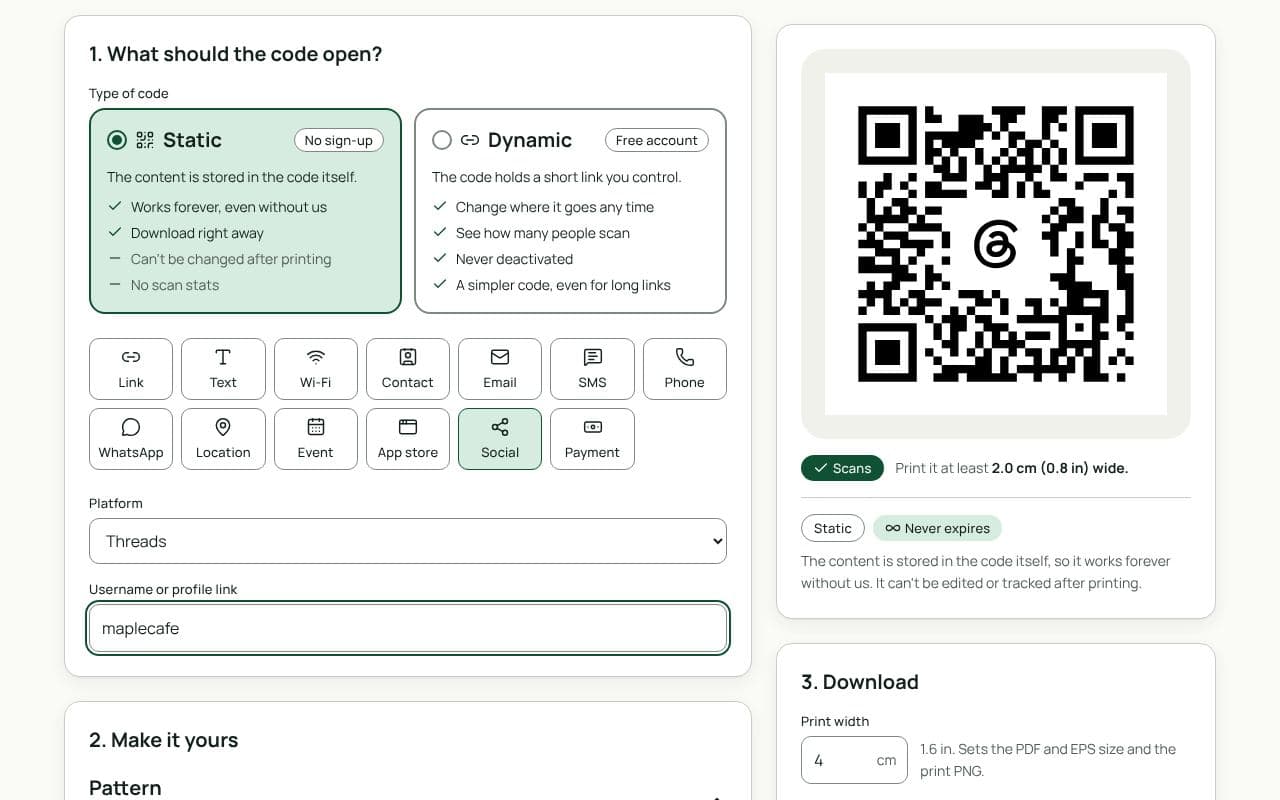
The QRfinity generator with Social selected, Threads chosen as the platform, a username filled in, and a code with the Threads logo in the middle.

Design and print tips

  • Say why to follow. “Daily specials and behind the scenes” beats the logo alone.
  • Print the @username too.
  • Black and white suits Threads, and scans best.
  • Size it for the distance. 2.5 cm on cards and receipts, 4 to 5 cm on counters, 20 cm or more on posters.

Static or dynamic?

Either works

For a username you’ll keep, a static code works forever. Choose dynamic to count scans from each place you print it, or to point it at another profile or page later.

Questions people ask

Is my Threads username the same as Instagram?

Yes, Threads profiles use your Instagram username. Type it here with or without the @.

Does the code open the Threads app?

On a phone with Threads installed, your profile opens in the app, ready to follow. Without it, your profile opens on the Threads website.

Should I use one code for Threads and Instagram?

One code can only open one place. To share both, use a link-in-bio page with a single code, or print two small codes side by side with clear labels.

What if I change my username?

A static code keeps opening the old one. A dynamic code lets you point the same printed code at your new username.

Guides