

A QR code on the box or a card takes customers straight to your registration form on their phone, with the model already filled in, instead of a postcard they’ll never send. Registrations go up, you learn who bought what, and you can reach owners if there’s ever a safety notice or recall. Free, with codes that never expire.
How to make a warranty registration QR code
- Build a short form on your site, or with a form tool like Google Forms.
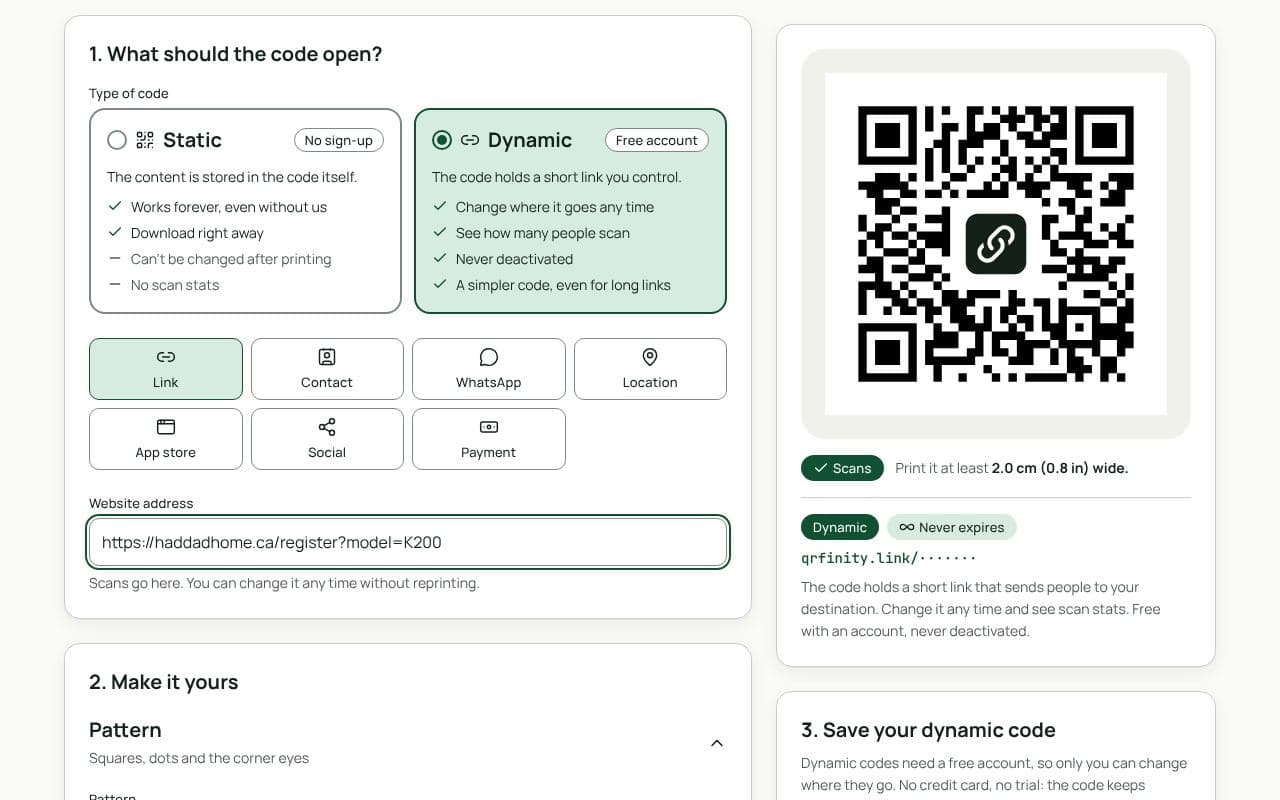
- Add the model to the link, for example
https://yoursite.com/register?model=K200, so the form opens pre-filled. - Paste the link in “Website address” above and keep the code dynamic.
- Add a frame such as “Register your product”, then download for print.
Keep it short and honest
- Five fields or fewer. Name, email, model, serial number, purchase date.
- Say what they get: easier warranty claims, safety notices, firmware updates.
- Marketing is a separate choice. An unticked box, not part of registering.
- Don’t imply cover depends on it. In the US, the FTC says warranty cover can’t require returning a registration card, so present registration as optional.
Where to put it
- Registration card or quick-start guide, next to a line that says why to register.
- The rating label on the device, so the second owner or a forgetful first one can still register.
- The shipping box, if the product ships in its own retail packaging.
Static or dynamic?
We recommend: dynamic
Choose dynamic. You might move from one form tool to another, or add a new model page. With a dynamic code the printed cards keep working, and scan counts show how many buyers start registering compared with how many finish.